Running a paid survey with a research panel
When your own crowd is not the crowd you need, rent one. A research panel supplies vetted participants; the voicer collects, the completion message pays them.
# How a panel survey works
A research panel, such as Prolific, maintains a pool of vetted participants who take studies for pay. You describe the audience you want with screeners, the panel sends matching participants to your study URL, and each participant proves they finished by entering a completion code back on the panel, which releases their payment.
OneVoicer plays the part of the study. The voicer’s share link is the study URL, the voicer collects the answers, and the completion message hands each participant the code. That is the entire integration: no plugin, no API, nothing to install.
# The completion code goes in the completion message Creator plan
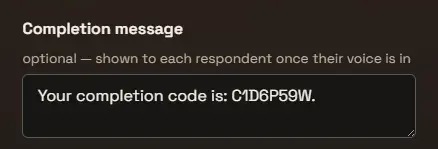
The panel gives you a completion code when you create the study. Paste it into the voicer’s completion message, which is shown to each respondent only once their voice is in. No participant sees the code without answering, and every participant who answers gets it, so nobody who did the work goes unpaid.
The same mechanism works beyond panels, for a prize code at a booth or a discount for taking part; see the completion message section of Writing your question.
# Set up the voicer for panel participants
Panel participants arrive as strangers in a hurry, so remove every step between the link and the answer box. Keep the voicer open, without sign-in: requiring a OneVoicer account would wall out people who will never have one, and the panel already guarantees one submission per participant on its side. The optional name field covers anyone who wants to sign their answer.
Ask one question they can answer in a sentence or two; each voice is capped at 280 characters, which suits a panel task well. And go live before you launch the study, because a voicer only collects voices while it is live.
# Create the study on the panel
On the panel, the study is a form: your voicer’s share link as the study URL, the completion code, the audience, and the price. The screeners are where a survey becomes intentional, since they decide exactly whose experience you are buying: a country, a language, an age range, a profession.
Estimate the completion time honestly and price the task at or above the panel’s minimum hourly rate. Underpaid studies fill slowly and attract rushed answers; fairly paid ones tend to fill within minutes. Set the number of places to the number of voices you want.
# Read the results
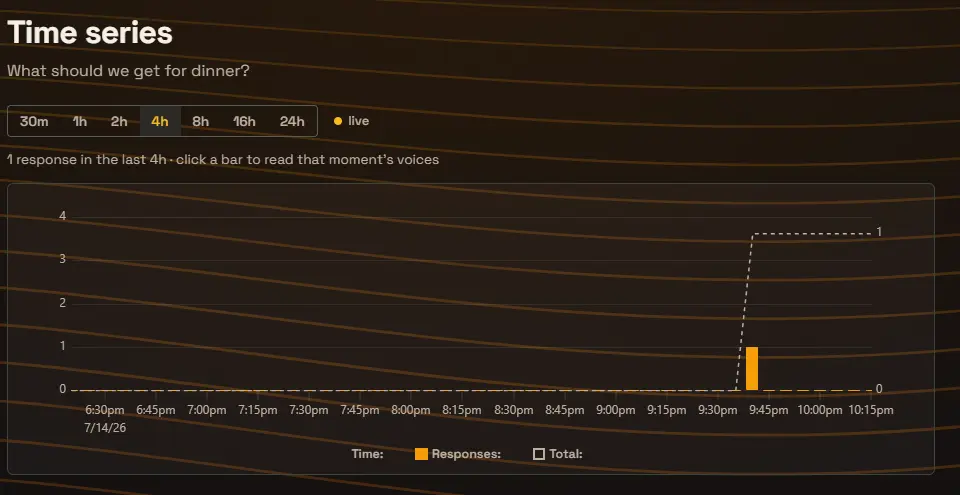
Expect a spike, not a trickle: a fairly priced panel study often completes within the hour, and the time series shows it filling live. When it flattens, the one voice is your result, one blended answer for the whole study, with every individual voice browsable underneath.
Skim the Voices list once. A voice that ignored the task can be removed, which drops it from the blend, and the panel has its own process for submissions that do not meet the study description. If the result should read differently, a ranked list instead of a paragraph, say, one sentence of response criteria reformats the blend without rerunning anything.
# Frequently asked
Which plan do I need?
The completion message is a Creator plan feature, and it is the piece that makes panel payment work, so plan on Creator or up for paid studies. The voicer itself, the share link, and the time series work the same as on any voicer.
Does this only work with Prolific?
No. Any panel that sends participants to a study URL and verifies a completion code works the same way, which covers most of them. Prolific is the one we use in our own examples.
What stops a participant grabbing the code without really answering?
The completion message appears only after a voice is submitted, so there is no code without an answer. Low-effort answers are visible in the Voices list and can be removed from the blend, and the panel’s own review process covers submissions that ignored the task.
Should I require sign-in for a panel study?
No. Sign-in would force participants to create a OneVoicer account mid-task, and most will return the study instead. The one-answer-per-person guarantee already comes from the panel, which allows each participant to take a study once.