Deep dive: six lenses on the room
The one voice tells you where the room landed. A deep dive tells you why: six analytical lenses read every voice and build a report of what you agree on, what matters most, and what you would otherwise miss. It is there to drive the next conversation, not to settle it.
# What a deep dive is Creator plan
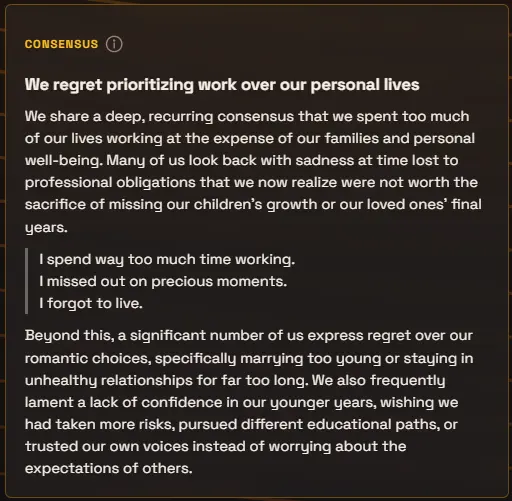
The one voice blends the room into a single answer, the fair-moderator summary. A deep dive reads the very same voices six more times, each time through a different analytical lens, and lays the findings out as a report: one card per lens, each with a headline, a short analysis, and verbatim voices quoted as evidence.
Grounding is the whole game. Every claim in a deep dive must come from an actual voice, and the cards quote the voices they lean on, so the room can check the analysis against what people really said. A lens that finds nothing says so honestly instead of inventing a finding, “no clear signal here yet” is a legitimate result.
Together the six cards read like a facilitated debrief: where we agree, what matters most, who is easy to overlook, the strongest counter-argument, the outlier worth copying, and the trade-offs we cannot wish away. It is sense-making material for the facilitator, not an analyst’s verdict: each card is a prompt to put to the room, and the quoted voices are there so the room can push back.
# The six lenses
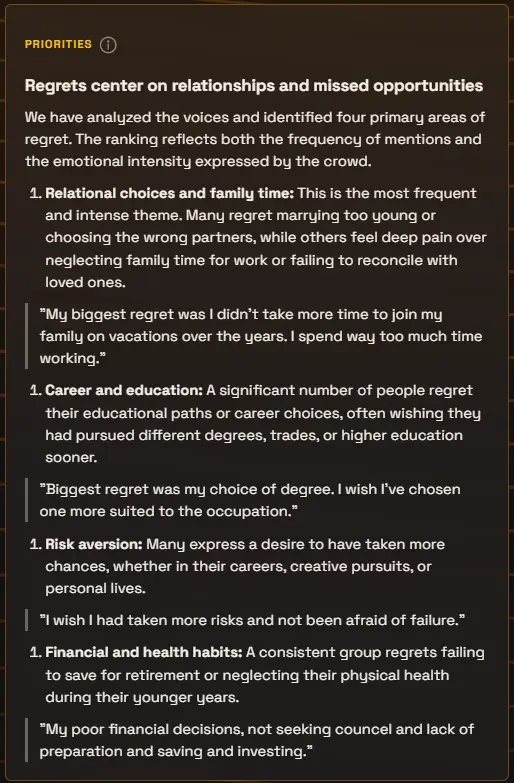
The lenses are fixed, in a deliberate order, an arc from agreement to tension:
- Consensus
- Where do we agree? The common ground a clear majority of the voices share, and how solid that agreement really is.
- Priorities
- What matters most? The room’s concerns ranked by how many voices raise them and how strongly, like a nominal-group exercise run for you.
- Minority Voice
- What important perspectives are easy to overlook? Views only a few voices carry that add something real: lived experience or considerations the majority missed.
- Dissent
- What is the strongest challenge to the prevailing view? The best good-faith case against the majority position, built from the dissenting voices’ own arguments.
- Positive Deviance
- Who does something differently that looks unusually promising? Outliers whose approach seems to work unusually well, and what the group could learn from them.
- Tensions
- What important truths are pulling in opposite directions? The real trade-offs inside the room: things the voices genuinely value that cannot all be fully had at once.
# Generate a report
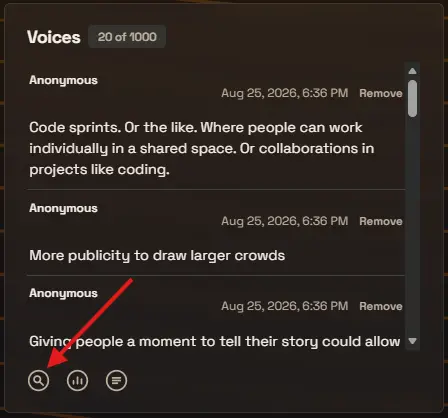
The magnifying-glass icon at the bottom of the Voices panel opens the deep dive page: your question, one big “Generate deep dive” button, and six waiting cards, one per lens. Press it and the cards fill in live as each analysis lands, usually in less than 15 seconds.
Every lens reads every voice in the period. That is the point, and also why a deep dive is a deliberate act rather than an automatic one: you decide when the harvest is worth analyzing, and the page shows the current voice count right under the button so you can judge the moment.
# Runs, refresh, and one report per period
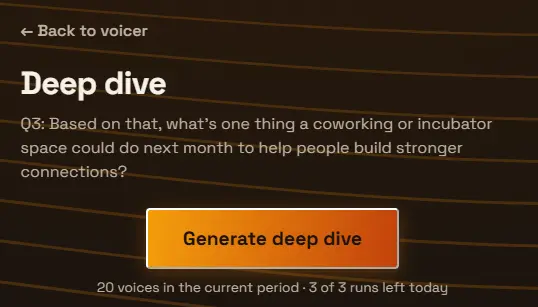
Each voicer gets three deep dive runs per rolling day, and the page shows how many you have left. There is no minimum voice count, though the lenses have more to work with once a conversation reaches a dozen voices or so; with only a handful, expect several cards to report thin signal.
A voicer holds one report per period. Press “Refresh deep dive” after more voices arrive and the new report replaces the old one, stamped with how many voices it read and when. There is no version history within a period; if you want analyses preserved over time, record periods (see below) and each keeps its own report.
# Current voices, or any recorded period
By default a deep dive reads the current period’s voices, everything since your last record and reset (or the voicer’s whole life if you never reset). If a rollover fires while a report exists, the report travels with the recorded period, and the fresh period starts with a clean slate.
History is retroactive territory: every recorded period keeps its exact voices, so the history report offers a “Deep dive” link on each period. You can go back to last month’s question and tease it apart today, even if the deep dive did not exist when those voices were collected.
# Put it in the room’s hands
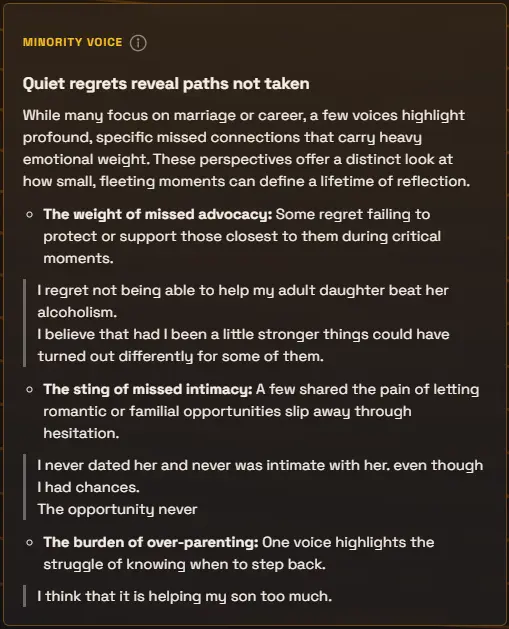
A deep dive is for the room that made it. The moment a report exists, everyone sitting on the respond page sees a “Deep dive” link appear under the one voice, live, no refresh needed, and it opens a phone-friendly report of the six cards. If someone opens it while a report is still generating, they watch the cards land in their hands.
The read-only results page gets the same report behind its own link, and each card carries a small info icon explaining what its lens looks for. Tell the room “open the link again” after you generate, and they are holding the analysis while you talk through it.
# Present it live
Deep dive joins the stage’s mode strip, beside OneVoice and Voices, once a report exists. It turns the report into slides: one lens per screen, the finding at headline size, stepped with the arrow keys or the on-screen arrows, with the QR still up so voices keep arriving. Since the PowerPoint add-in presents the stage, your slide deck inherits the same stepping automatically.
The stream overlay joins in too: once lenses complete, their headlines take turns in the overlay’s rotation alongside the QR, the question, and the one voice, headlines only, sized for a corner of a stream.
# Frequently asked
How is a deep dive different from the one voice?
The one voice answers your question as the room would, one blended reply. A deep dive analyzes the room itself: six separate reads of the same voices, each answering a different analytical question, with quoted evidence. Use the one voice to hear the room; use the deep dive to understand it, and to decide what to talk about next.
How many voices should I collect before running one?
There is no minimum, and the page shows the current voice count so you can judge. As a rule of thumb the report gets interesting around a dozen voices and keeps improving from there. With very few voices, expect honest cards that say the signal is thin.
Why did Refresh replace my report?
A voicer keeps one report per period, and Refresh regenerates it from the voices as they stand now. If you want analyses preserved over time, record periods with record and reset: each recorded period keeps its own report, and you can run or refresh one for any past period from the history page.
Why three runs per day?
A deep dive reads every voice six times over, so it is built as a deliberate analysis, not a live feed. Three runs per voicer per rolling day is enough to generate, refresh mid-session, and refresh again at the end, while keeping the analysis a considered act. The counter under the button shows what you have left.
Can the room see the report? Can I turn that off?
Yes, deep dives are made to be shown: the respond page links to the report, and the read-only results page carries it too. Today a report is visible to the room wherever your voicer is; a private, owner-only mode may come later.
Does the deep dive follow my custom response criteria?
No. Your criteria shape the one voice. The lenses are fixed analytical modes, deliberately the same for everyone, so a Consensus or Dissent card means the same thing on every voicer.
Which plan includes the deep dive?
The deep dive is available on the Creator plan and up. See the pricing page for the full plan comparison.