Reading the one voice and the voices
The two views of the harvest: the full list of voices, and the blended one voice on top of them. Here is how to read them, open the voices to the room, choose which voices feed the blend, and take the voices home for the report.
# The one voice
The one voice is the AI blend of every voice in your window: a single answer that reflects what the whole room said, not just the loudest reply. It updates on its own, recomputing whenever a new voice arrives and on a regular interval, so you never blend by hand.
Treat it as a first synthesis for the room to discuss, not a verdict. Put it on the stage, ask “is that right?”, and let the room correct it; the voices underneath are always there to check it against.
As a room grows into the thousands, each fresh blend takes substantially longer to compute. Read it on the page, put it on the stage for a room to see together, or go further with a deep dive.
# The voices
The Voices panel on the voicer’s page lists every answer with its timestamp. The count beside it, for example “2 of 10000”, shows how many voices have come in against your plan’s capacity for this voicer. Each voice is capped at 280 characters, so answers stay short and to the point.
Voices are anonymous, though a respondent can choose to supply a name. If you require sign-in, each voice is tied to one account instead, which improves the fidelity of your responses but adds an extra step.
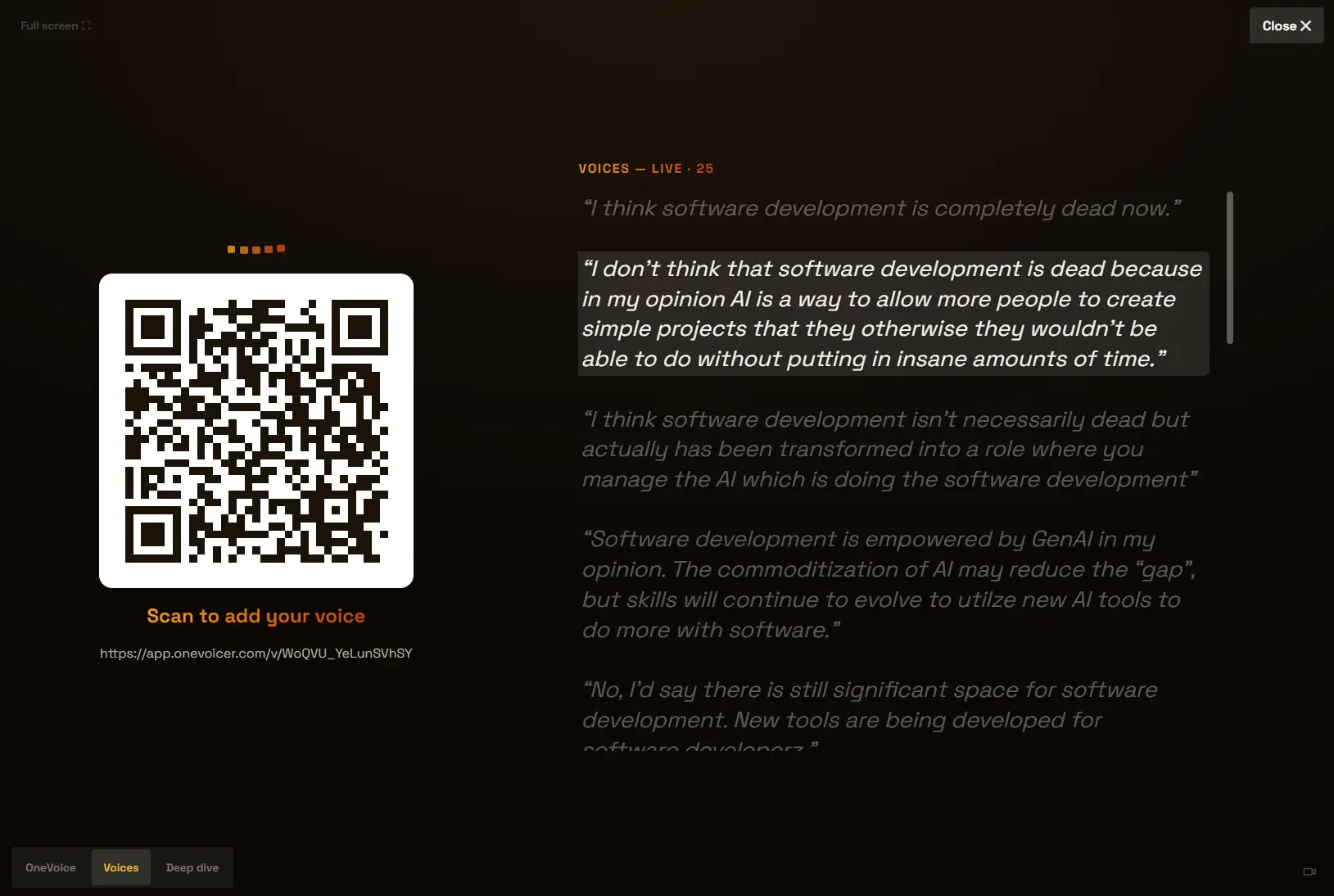
The same list is what the stage’s Voices mode shows, newest first and growing as answers land, so the voices are raw material for the room to think with, not just an audit trail.
# Open the room Creator plan
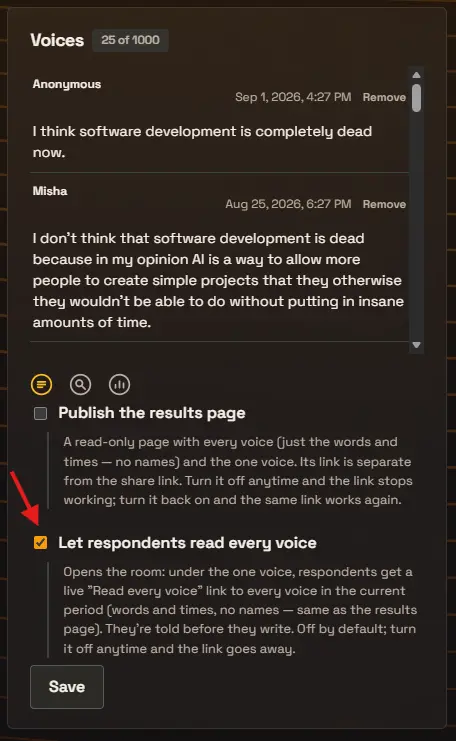
Tick Let respondents read every voice, under the Voices panel, and the room opens. Before they write, respondents see a short notice that everyone here can read every voice. After their voice is in, a live Read every voice link appears under the one voice, showing every answer in the current period, words and times only, never a name.
This is the same setting that adds Voices to the stage’s mode strip. It is off by default and not a one-way door: untick it and the link and the stage mode go away.
# The blend window
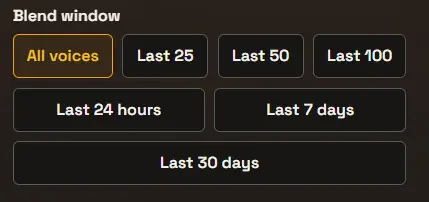
The blend window decides which voices feed the one voice. By default every voice counts, but you can blend only the most recent answers, or only a recent stretch of time, which is useful for a voicer you keep open over days or weeks.
All voices is the default and the only option on the free Starter plan; the trailing windows, by count or by time, are a Creator plan feature.
- All voices
- Blend every voice ever submitted. The default, and the only option on Starter.
- Last 25 / 50 / 100
- Blend only the most recent answers, by count.
- Last 24 hours / 7 days / 30 days
- Blend only answers from a recent stretch of time.
# Removing a voice
Every voice has a Remove action. Use it to drop something off-topic or abusive. A removed voice leaves the list and no longer feeds the blend; the next blend simply leaves it out.
# Share your results, and take the voices home Creator plan
The share icon at the bottom of the Voices panel publishes a read-only results page. Anyone with its link can scroll every voice with its timestamp, never a name, read the one voice, and download the whole list as a CSV. The results link is separate from your share link, so readers can’t add voices through it. Turn the page off anytime and the link stops working; if it has spread further than you meant, Get a new link retires the old one on the spot.
The CSV is the harvest you leave with. It has two columns, a UTC timestamp and the voice, oldest first, one file per question and per period. Names are never in it, so it goes straight into a client report: quote the room’s own words, and use the timestamps to see what came in during the structure and what came after the conversation moved.
# Frequently asked
Does the one voice update automatically?
Yes. The one voice recomputes on its own, both when a new voice arrives and on a regular interval, so it stays current without any action from you. Present mode keeps the on-screen blend up to date for a live room. Note that very large rooms make each blend take noticeably longer.
Can respondents see each other’s answers?
Not by default. Open the room with Let respondents read every voice and they can, words and times only, never names. They are told before they write, and you can close the room again at any time.
What happens when I remove a voice?
It leaves the Voices list and is excluded from future blends. Nothing else is affected, and the rest of your voices stay in place.
Can I use the voices in a client report?
Yes. Every voice is kept verbatim with a timestamp, and on Creator and Agency you can download each question as a CSV from the results page. Names are never in the file. The one voice and the deep dive stay on the results page as the live record; the CSV is the raw data.