Groups: several questions, one link
A group bundles up to five voicers behind one link and QR code. Your crowd scans once and answers everything on one page, and each question keeps its own one voice.
# What a group is Creator plan
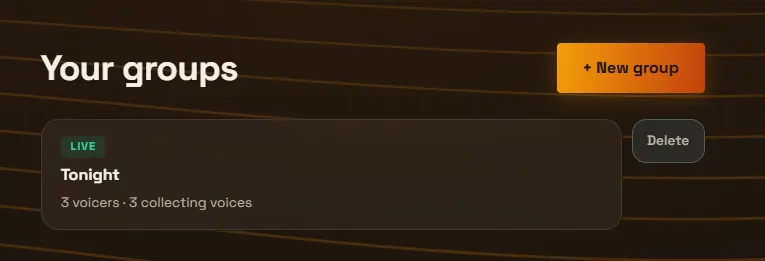
A group is a set of voicers behind a single share link and QR code, up to five of them, in the order you choose. Someone who opens the link sees every question on one page and answers them top to bottom, each in their own words, with a progress count keeping score. One scan covers the whole set, which is the point: at an event, a workshop, or a retro, you put up one QR code for the session instead of one per question.
The one idea that explains everything else on this page: a group is a bundle, not a copy. Each voicer inside it stays a complete, independent voicer with its own voices, its own one voice, its own settings, and its own share link that keeps working on its own. The same voicer can belong to more than one group at the same time. And answering a voicer through a group is identical to answering it directly: the voices land on the same voicer and feed the same blend either way.
# Creating a group and adding voicers
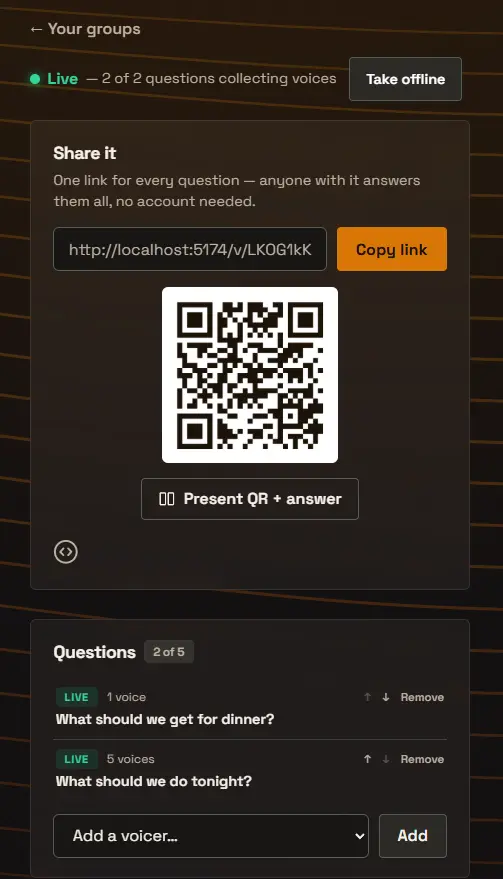
Groups live in their own section, next to your voicers. Create one with a title, and optionally a description that respondents see above the questions. A new group starts Offline, like a new voicer starts as a draft, so you can assemble the set before anyone sees it.
Add voicers from the picker on the group’s page, up to five, and use the arrows to set the order, which is the order respondents see. The group bundles questions that already exist, so create the voicers first; any voicer in your account can be added, whatever its status.
Removing a voicer from a group never touches the voicer. It keeps collecting on its own link, keeps its voices, and stays available to add back later or to a different group.
# Going live: the group’s switch and each voicer’s
A group has its own Go live and Take offline switch, and it controls only the group. This is a deliberate separation, and it is worth being precise about: the group’s switch turns the group’s own surfaces on and off, its page, its QR code, its stage, its embed. It never changes the voicers inside. Take a group offline and every individual voicer in it keeps its own status, and each one’s own share link keeps working exactly as before.
While a group is offline, its page shows a quiet “not collecting voices right now” note instead of the questions. A printed QR code or an already-shared link never leads anywhere broken; going live again brings the same link back.
The same separation runs the other way. Each voicer keeps its own status inside a live group, and the group’s page is honest per question: a live voicer takes answers, one you have taken offline shows as not collecting, one that is full says so, and a draft is simply not shown. So you can close a single question mid-event, its answer stays on display, and the rest keep collecting. The status row on the group’s page gives you both facts at a glance: whether the group is live, and how many of its questions are collecting.
# What respondents see
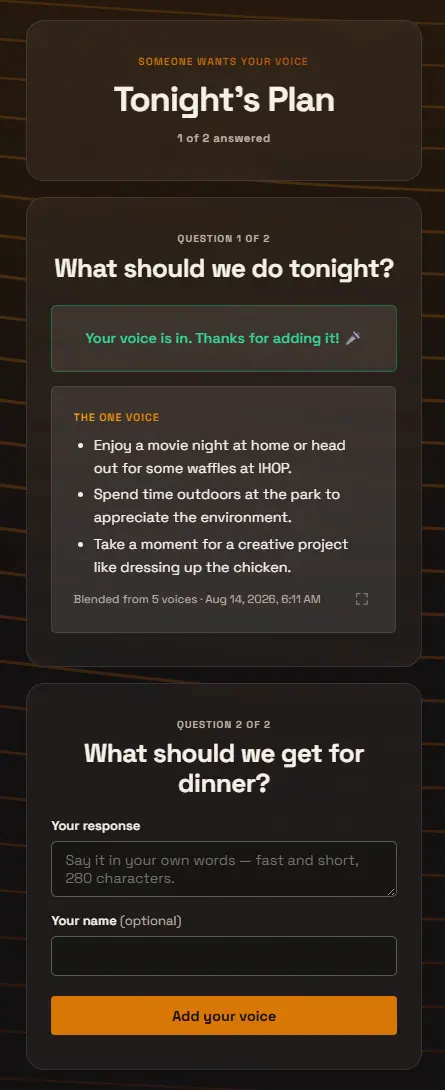
One page, every question. People answer each one in their own words from their phone, no app and no account, and a “2 of 5 answered” progress line keeps them oriented. After answering a question they see its one voice right there, updating live, along with that question’s Read every voice or Deep dive link if you have turned those on, so the page rewards finishing: by the end they have added five voices and watched five answers take shape.
The usual voicer rules apply per question, because each question is a real voicer. One that requires sign-in asks for it and brings the person straight back to the group page afterward. Someone who already answered a question sees their thanks and its one voice instead of the form.
# Presenting a group to a room
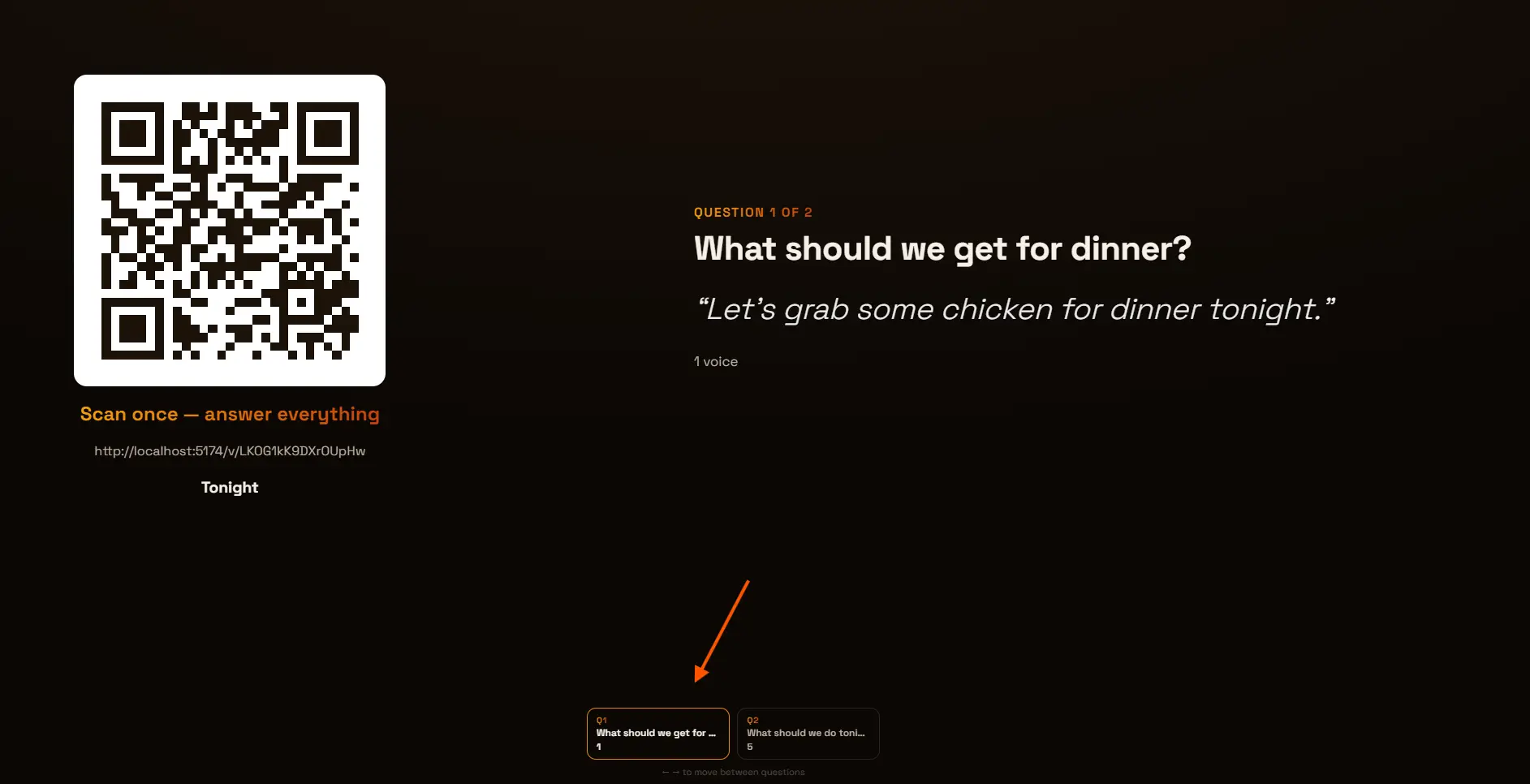
Present QR + answer on the group’s page opens a full-screen stage built for walking a room through the set. One question fills the screen with its live one voice, and the group’s QR code stays put beside it, the same code the whole session, so the room scans once and keeps the page open on their phones.
A strip along the bottom shows every question with a live count of its voices, so you can see answers piling up on question four while the room is still discussing question two. Move between questions with the arrow keys or by selecting a question in the strip. The audience answers at their own pace; the stage moves at yours.
# Embedding a group
A group can be embedded on your own website like a single voicer: the whole set of questions stacks inside one frame, visitors answer them in place, and each one voice updates live. The group has its own “Embed on your site” setting with its own allowed domains, separate from any individual voicer’s embed settings, in the Share it panel behind the <> icon.
The WordPress plugin treats a group link exactly like a voicer link. Paste it into the OneVoicer block and the page shows the live embedded group, or the QR card fallback, chosen the same way as for a single voicer. Everything in the embedding guide, https and exact-host matching included, applies unchanged.
The embedding guide: allowed domains, https, and the embed itself ↗
# Deleting things without breaking things
Deleting a group deletes only the bundle. Every voicer in it is untouched: its voices, its one voice, and its own share link all keep working.
Deleting a voicer that belongs to a group works too, with a heads-up first. The question simply leaves the group’s public page, and the group’s own page notes the removal, so a five-question set that became four is never a mystery.
# Frequently asked
Which plan includes groups?
Groups are available on the Creator plan and up, with up to five voicers per group. The voicers inside a group follow their own plan limits, such as how many voices each can collect. See the pricing page for the full comparison.
Is answering through a group different from answering the voicer directly?
No. A group is a bundle, not a copy. A voice added on the group page lands on the same voicer, feeds the same blend, and shows in the same history as a voice added on the voicer’s own link.
Can one voicer be in more than one group?
Yes. A voicer can belong to several groups at once, and its own share link keeps working regardless. Its voices all pool together on the voicer, wherever they were collected.
What happens when I take the group offline?
The group’s page, QR code, stage, and embed stop taking answers and show a quiet “not collecting voices right now” note. The voicers inside are not changed: each keeps its own status, and their own share links keep working as before.
What do respondents see for a question that is offline or full?
The group page is honest per question: an offline question shows that it is not collecting, a full one says so, and a draft is not shown at all. The rest of the questions keep working normally.
Do groups have their own results page?
Not yet. Results stay with each voicer: its one voice, its Voices list, its deep dive, its history, and its public results page if you publish one. The group page itself shows each question’s live one voice to people who have answered it.