AI facilitation: don’t automate the facilitator
Don’t let AI run your workshop. Let it read what the room said, fast.
What you’ll learn
- Why facilitators use AI to plan, but not to run the room
- How to spot disagreement and lone ideas in 15 seconds
- How to let the room check the AI, in any language

Facilitators have taken to AI pretty quickly, just not inside the room. SessionLab’s State of Facilitation 2025, built on 1,050 responses, found 85.8% of them using it to prepare sessions and only 19.6% using it while facilitating.
Part of the reason is that the in-room tools automate the wrong half of the job. Someone still has to work out what forty people just said, fast enough to use it before the room moves on.
# The AI facilitator automates the parts that were never hard
The demo agent sets an agenda, states the norms, prompts whoever is next, and writes the recap. Three of those are documents and the fourth is basically a timer. Deciding that the room is ready to move on depends on things that never reach a transcript, like who went quiet, or which agreement sounded rehearsed.
Look at where facilitators actually put AI to work. Summarizing sounds like the in-room skill, and 58.6% use AI for it, but in practice that happens on the train home.
- Preparing sessions
- 85.8% of AI-using facilitators
- Wrapping up and post-workshop activities
- 42.2%
- Facilitating sessions
- 19.6%
- Sentiment about AI in facilitation
- 62% positive, 30% neutral, 8% negative
SessionLab, State of Facilitation 2025 (third edition, 1,050 respondents) ↗
You can automate a timer. Nobody needed that automated.
# The case against AI in the room rests on three fair objections
Ask a working facilitator whether AI should synthesize the room and you get a point about where meaning comes from: a group has to grind through its own conflicting framings for the result to hold (Kaner’s groan zone, which we covered in how AI changes convergence). Underneath that sit three sharper objections, and each one deserves a straight answer.
| The objection | What answers it |
|---|---|
| A facilitator reads hesitation and tone, not just words. | Nothing does, and nothing should. That stays with the facilitator. |
| “The AI said” launders a judgment nobody has to defend. | A written lens the room can see, every claim quoted back to a voice, and every voice readable by everyone. |
| Blending averages, so the one person who saw the real problem gets smoothed away. | A reading that asks for the minority view on purpose, grounded only in what people actually wrote. |
While AI can fast-track a group’s decision-making, it cannot drive participants’ buy-in if they haven’t been involved in the solution-finding and sense-making process. Just because AI can do it, doesn’t mean it should.
Dr Myriam Hadnes, expert insight in State of Facilitation 2025
# Your affinity map was already one tired person’s reading
Sixty sticky notes come off the wall at the break. One person sorts them into five clusters against a twelve-minute coffee queue, and for the rest of the session the room treats those labels as what it said. Nielsen Norman Group (Brown, 2023) lists how that goes wrong: notes grouped by a shared keyword rather than a shared meaning, and early voices setting the grouping for everyone. Re-sorting the wall a second way costs twenty minutes, so nobody does, and Stasser and Titus showed in 1985 that the one reading a group can afford tends to favor what everyone already knew.
In a mixed-language room it is also one language’s reading. The notes the sorter can’t read get skipped or get sorted by whoever at the table can translate them, and that usually means the least-shared knowledge in the room is the first thing lost.
Nielsen Norman Group: Avoiding 3 Common Pitfalls of Affinity Diagramming ↗
# A second reading changes the criteria, not the question
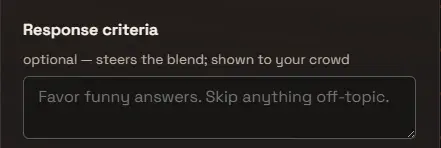
Leave the question and the answers alone, and change the instruction that governs how they’re read. In OneVoicer that instruction is response criteria, a sentence or two long. Edit it and the blend re-forms over every response already in, usually within about fifteen seconds. Nothing is filtered or deleted, and the room doesn’t have to type another word.
| Type into criteria | The same answers become |
|---|---|
| (leave it empty) | What the room said, woven into one readable answer. |
| Quote the three most specific answers verbatim. | Evidence in the room’s own words, with no paraphrase in between. |
| Separate answers that cite a concrete instance from general opinion. | Lived experience sorted from received wisdom. |
| Rank the themes by how often they came up. | A priority list, the one reading you could already get from dots. |
# Deep dive reads the same answers six ways at once
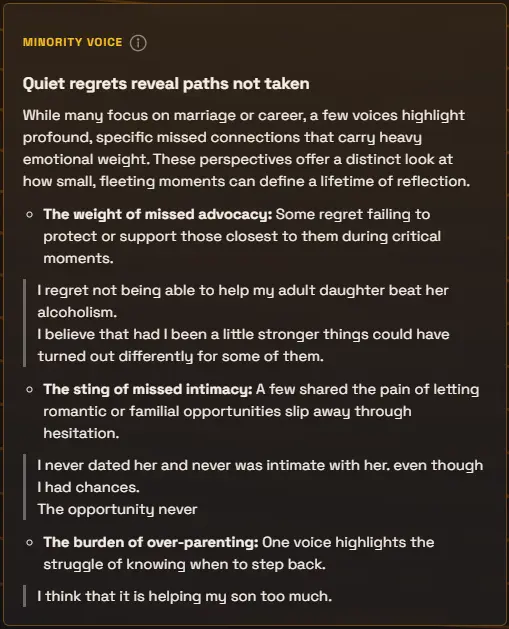
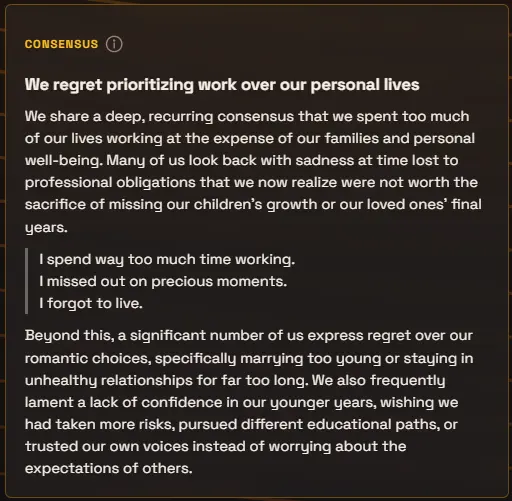
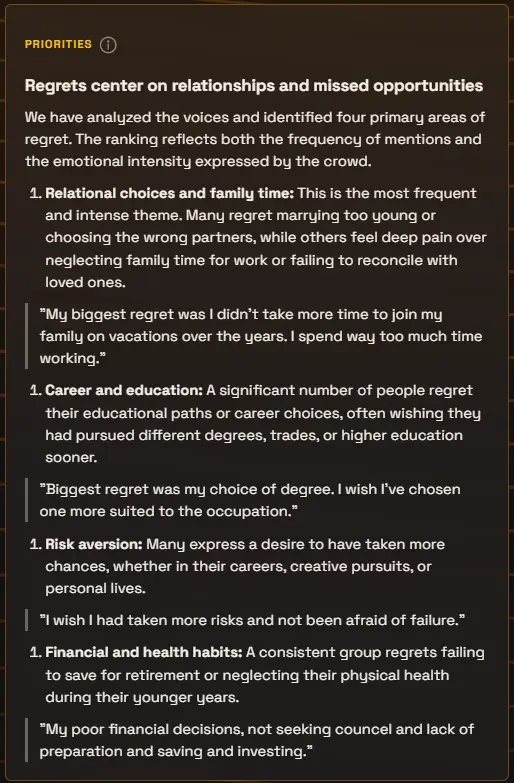
Criteria is the reading you pick live. Deep dive runs six at once: Consensus, Priorities, Minority Voice, Dissent, Positive Deviance, and Tensions, each as its own card. Minority Voice is the direct answer to the smoothing objection, since it goes looking for what only a few people said. And every claim on every card quotes the voice it stands on, so “the AI said” can be checked against the room’s actual words.
# Let the room check the reading, in its own language
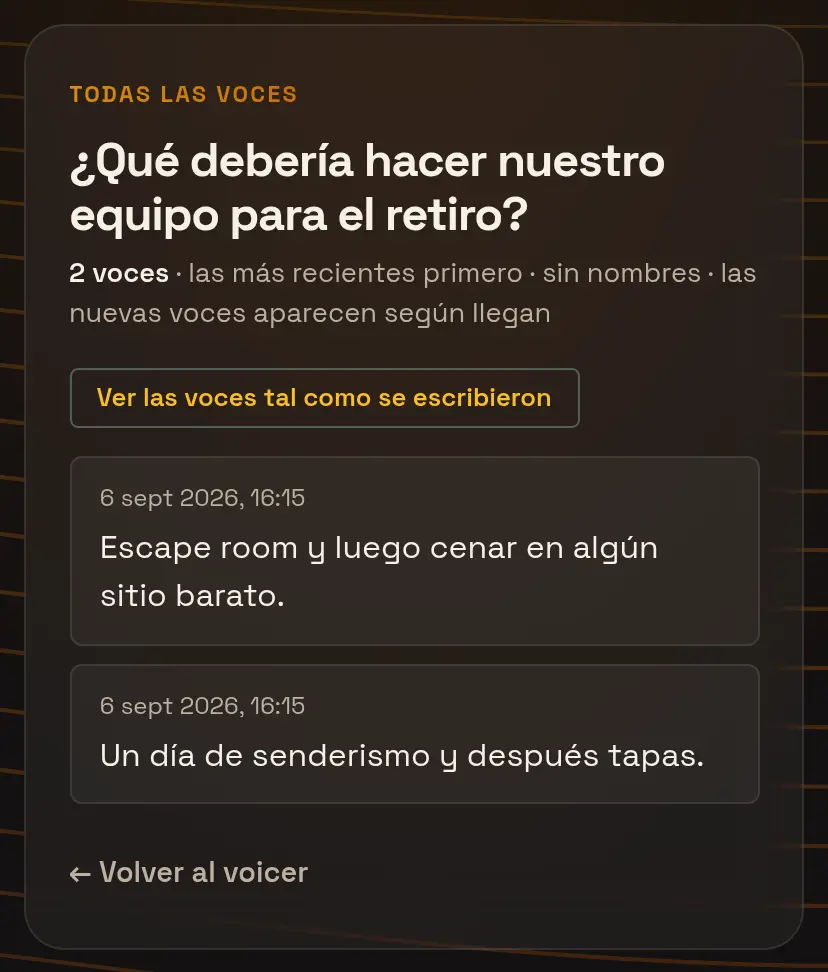
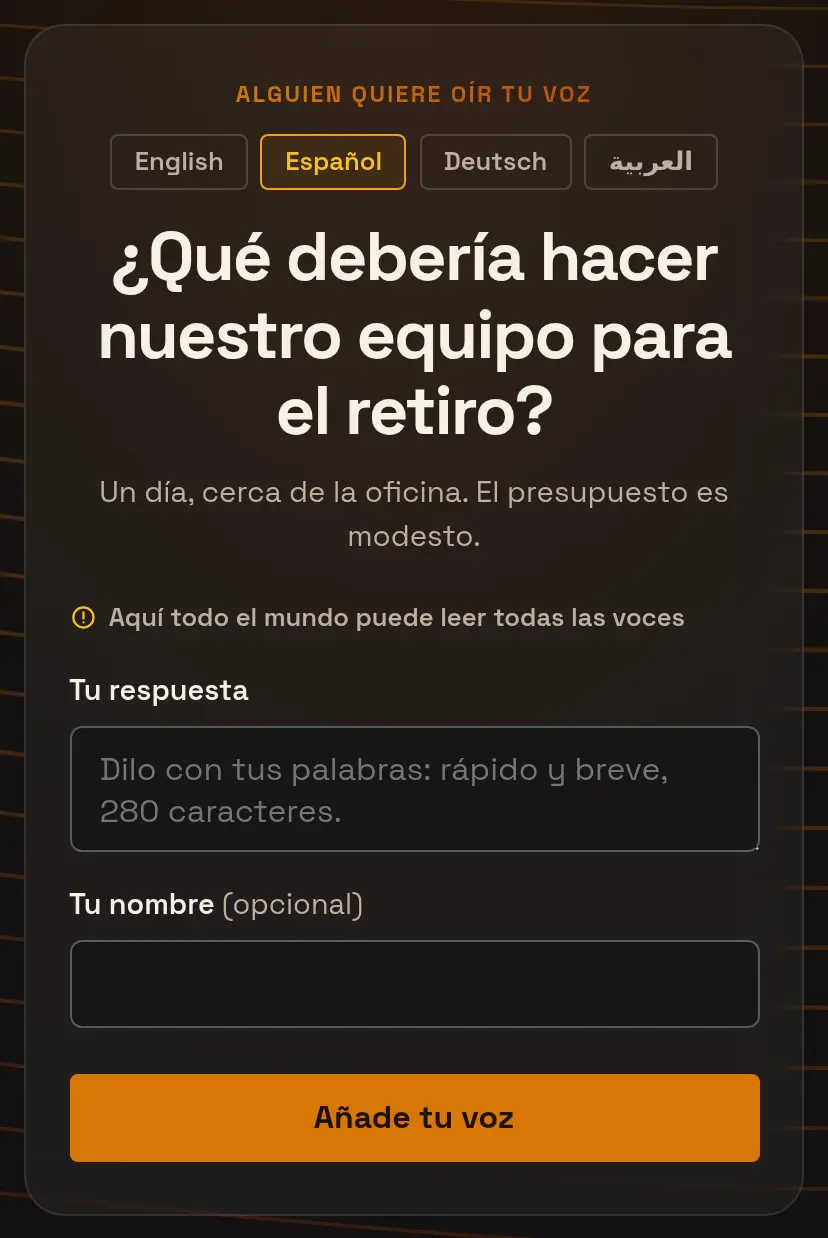
The criteria sit on screen next to the answer box, so the lens is out in the open. Open the room and every respondent can also read every voice on their phone, live, without names. The sorting rule behind the break-time clusters was never visible to anyone. This one is, and so is the raw material it worked from.
In a multilingual session each person can switch their phone to their own language and read the question, the one voice, and the deep dive in it, then turn every voice into that language too. Translation is a reading as well, so the originals are never replaced: one tap shows each voice as it was written. And if you change the criteria halfway through, say so out loud, because the people who answered early saw the old wording.
# Automate the reading and keep the deciding
Three things stay with the facilitator: deciding when the room is ready to move, deciding what its disagreement means, and holding the argument that follows. A second reading doesn’t settle any of them. It puts the disagreement on the projector in words the room recognizes, which is more work for you, not less. Response criteria, Deep dive, the open room, and audience languages come with the Creator plan and up.
Asking your question: response criteria, length, and context →
# Running the readings in a session
About five minutes of session time on one open question, most of it the room talking.
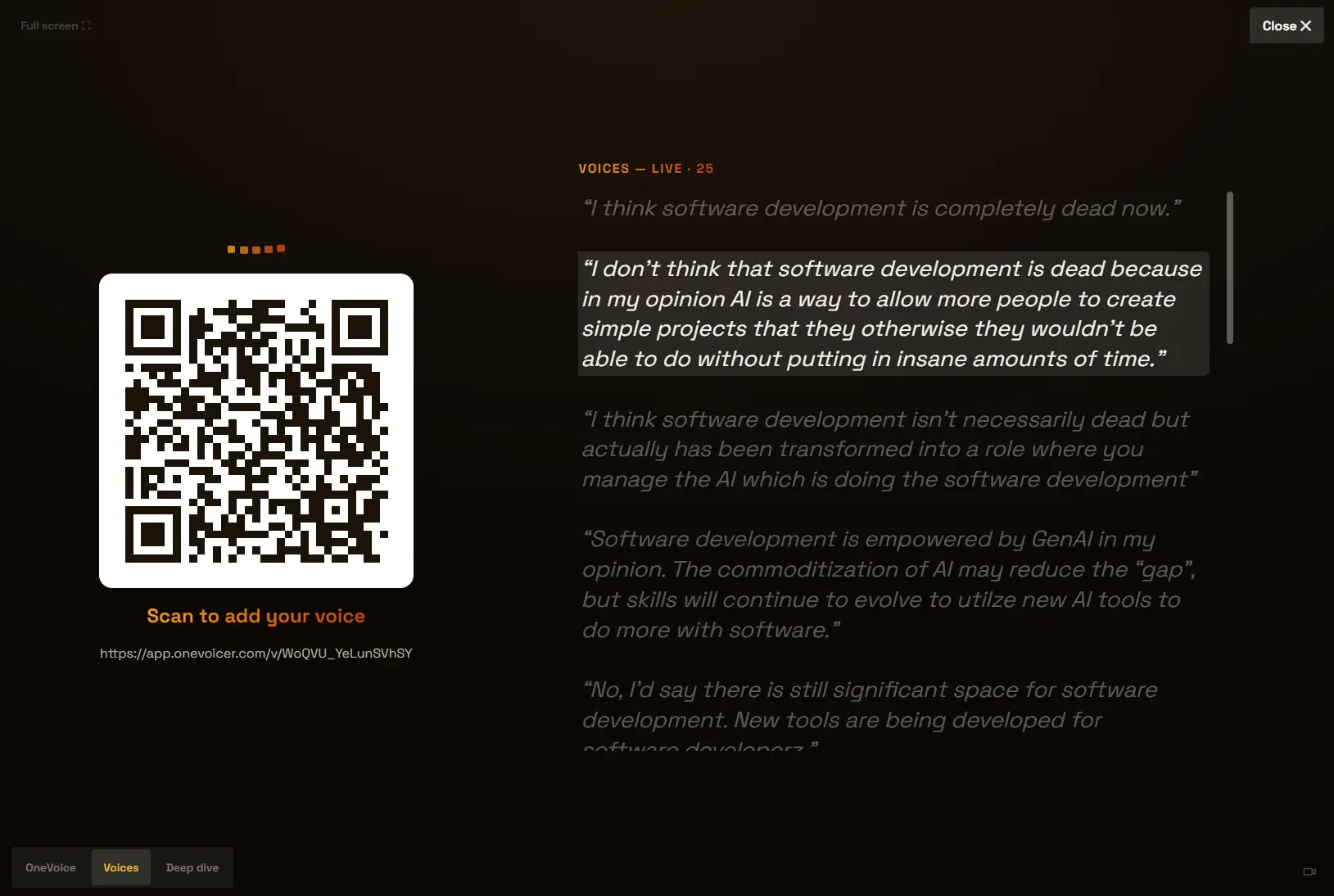
- Show the voices Put one open question up with the QR code and switch the stage to Voices while answers arrive, so the room sees its raw material before any synthesis.
- Read the one voice aloud Switch to OneVoice and read the default blend, unedited. That’s the baseline everyone expects.
- Change the criteria, not the question Type one sentence into response criteria, say out loud what you asked for, and read the new blend about fifteen seconds later.
- Run the deep dive and hand back the floor Generate a deep dive, step through the Dissent and Minority Voice cards, then stop talking. The value is the argument the cards start.
# Frequently asked
Is changing the criteria mid-session just steering the room toward the answer I want?
It can be. The safeguard is disclosure: the criteria are shown to respondents, and the voices stay readable, so anyone can check the synthesis against what was actually written. Say which lens you are applying and why, the same way you would announce that you are clustering the wall by theme rather than by team.
Does a second reading delete or filter out anyone’s answer?
No. Criteria steer how the voices are woven together. Every voice is still collected, counted, and browsable; only the blended answer changes.
Does Deep dive replace response criteria?
No, they do different jobs. Criteria shape the one voice, and you can change them as often as you like. Deep dive always runs its six fixed lenses and ignores the criteria, and each voicer gets three runs per rolling day.
What if half the room answers in another language?
Pick a presenter language and up to three audience languages on Creator (six on Agency). People answer in whatever language they think in, the one voice and deep dive are written in your presenter language on the stage, and each phone can read them in its own.
# References
- SessionLab, State of Facilitation 2025: Human-led, tech-enhanced, third edition, 1,050 respondents (2025)
- Brown, “Avoiding 3 Common Pitfalls of Affinity Diagramming,” Nielsen Norman Group (2023)
- Stasser and Titus, “Pooling of Unshared Information in Group Decision Making: Biased Information Sampling During Discussion,” Journal of Personality and Social Psychology 48 (1985)
- Kaner, Lind, Toldi, Fisk and Berger, Facilitator’s Guide to Participatory Decision-Making, 3rd edition, Jossey-Bass/Wiley (2014)