Facilitation tools for multilingual rooms: what actually brings people together
Let everyone answer in their own language, and read one shared answer.
What you’ll learn
- Why most “multilingual” tools only translate the buttons
- What a bilingual session feels like from both sides
- How to run one in five steps
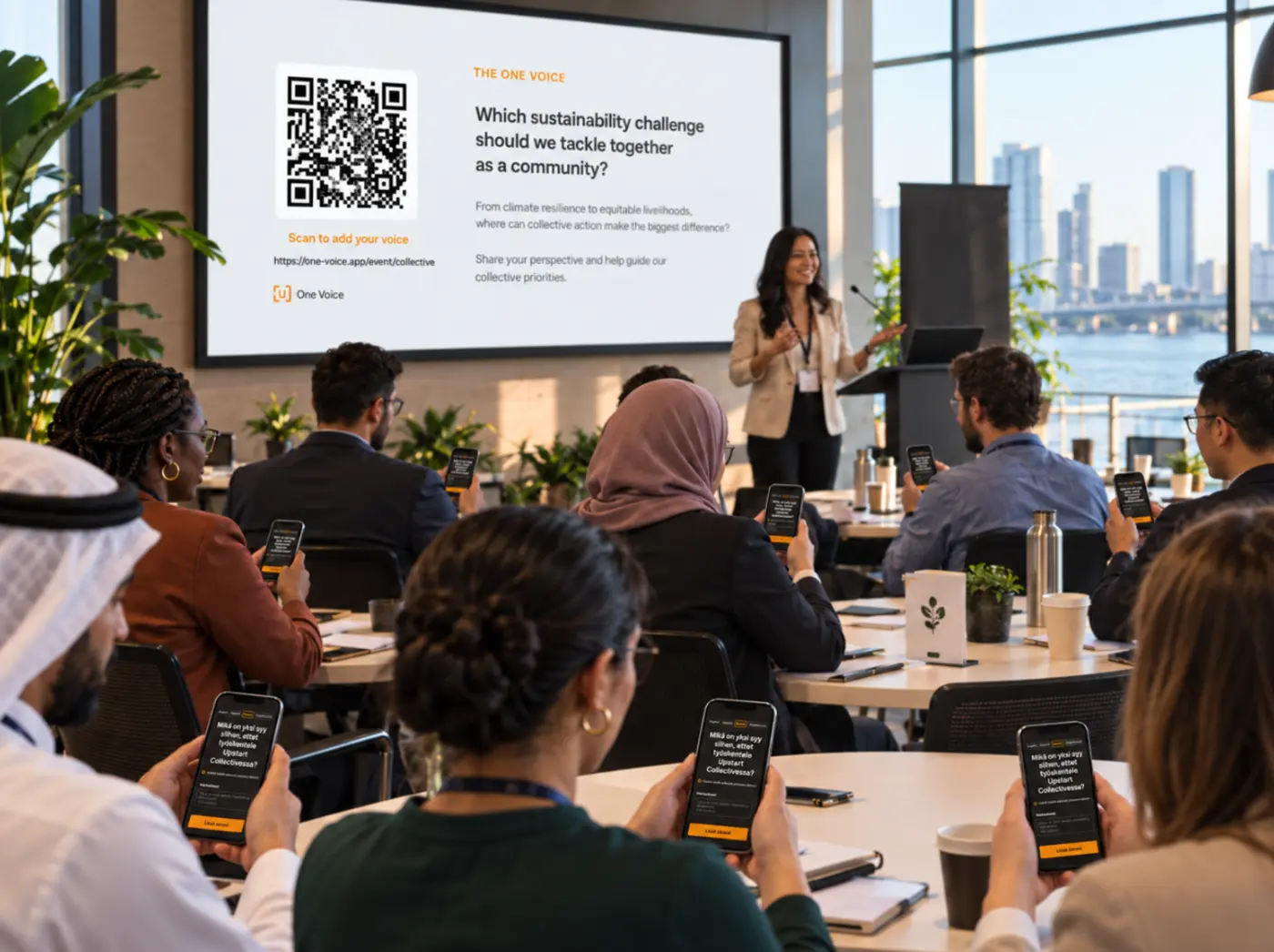
OneVoicer now speaks 33 languages. A facilitator picks the language they present in and up to six more for the room, and everyone who scans the QR code can read the question, answer in their own language, and see the same shared answer return. We built it for a specific kind of room: the neighborhood meeting where a third of the chairs are more comfortable in Spanish, the offsite split between two offices, the conference session where the quiet table is quiet because of the language and not the topic. Those rooms have always been multilingual. The tools mostly were not.
That kind of room is pretty common, actually. The US Census Bureau’s 2018 to 2022 American Community Survey, published in 2023, found that 21.7% of people aged five and older speak a language other than English at home, and Spanish accounts for about six in ten of them. Put forty people in a room drawn from the general public and the odds are good that a handful of them are working in their second language while they listen to you. The question is whether your tools notice.
# “Supports multiple languages” usually means the buttons
Read the feature page of most audience engagement tools and you will find a line about language support. Look a bit closer and it nearly always means one thing: the interface has been translated. The Submit button says Enviar. The placeholder text is in French. That is real work and it is worth having, but honestly it is the smallest part of the problem.
What the line rarely covers is the content. The question the facilitator typed is still in one language. The answers people write are in whatever they wrote. And the thing the room is actually there for, the summary or the poll result or the sorted list of ideas, comes out in the facilitator’s language and stays there. A person who could read the buttons in their own language still cannot read the conclusion in it.
The cost of that gap lands on the quieter half of the room. Tsedal Neeley’s research at Harvard Business School on language in global companies, published in Harvard Business Review in 2012, found that employees working in a second language reported a loss of status regardless of how fluent they were, and observed that native speakers tend to dominate the conversation unless someone deliberately makes room. A tool that only translates its buttons does nothing about that.
# The shared-answer test
A simple way to judge a tool for a mixed-language room is to ask three questions about it. We call it the shared-answer test, because the third question is the one that matters and the first two exist to make it possible.
- Can people answer in their own language?
- Not just read the prompt, but type their reply in Portuguese or Korean and have it count the same as an English one.
- Does the synthesis weigh every language equally?
- If the tool summarizes, ranks, or clusters, do the Spanish replies shape the result as much as the English ones, or do they get quietly sidelined?
- Does everyone read the same conclusion in their own language?
- One conclusion, not one per language, so the room is looking at the same thing even when the words differ.
Translated buttons let people into the room. A shared answer is what makes it one room.
# What a bilingual session feels like from the chairs
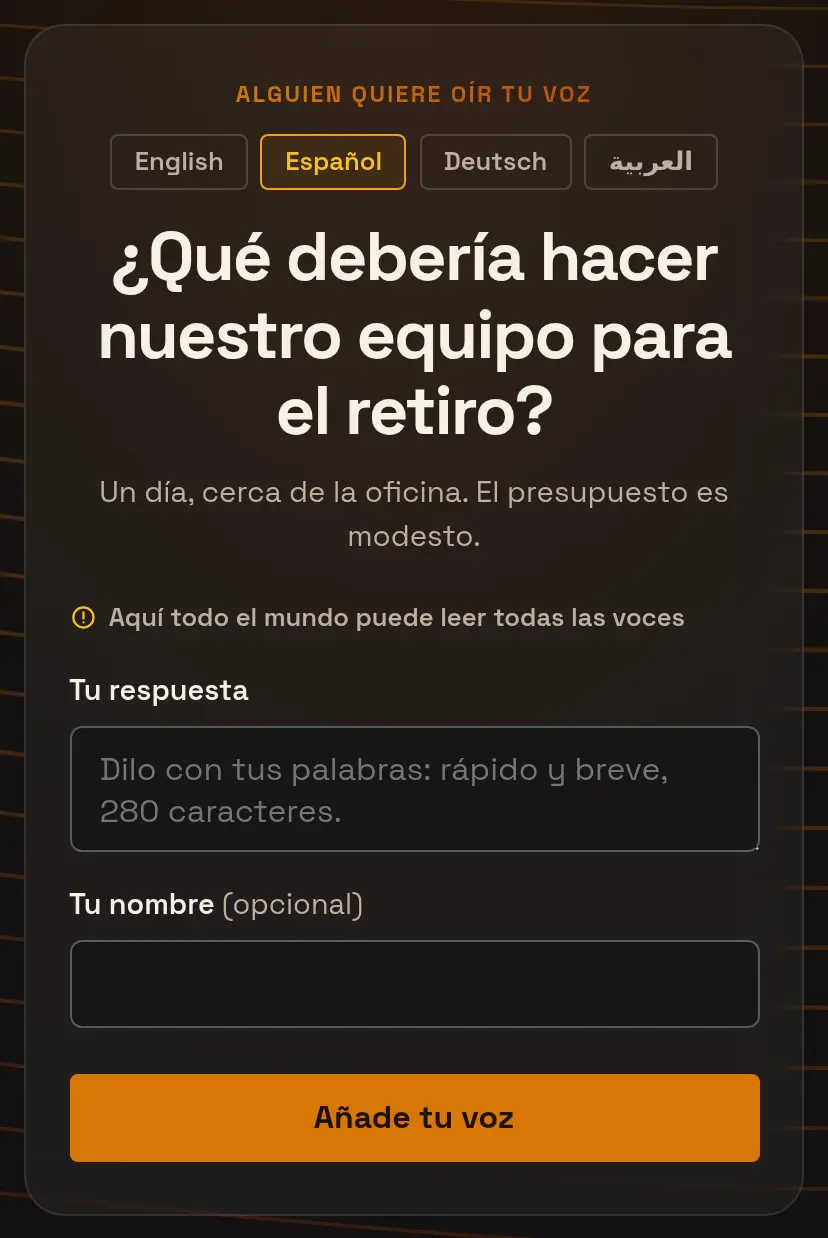
Start with the person in the fourth row. They scan the QR code on the screen and a page opens on their phone in the language the facilitator presents in. Right under the heading there is a short row of language names, each written in its own script: English, Español, Deutsch, العربية. They tap theirs, and the question, the background note, the prompts, and the button all change. Nobody had to pick a country or work out a code first.
They type an answer. In Spanish, if that is how they think, and without worrying whether that is allowed. Their phone says their voice is in, and then, a moment after the room’s shared answer appears on the big screen in English, the same answer arrives on their phone in Spanish. It is the same answer, and they can look up at the screen and recognize it.
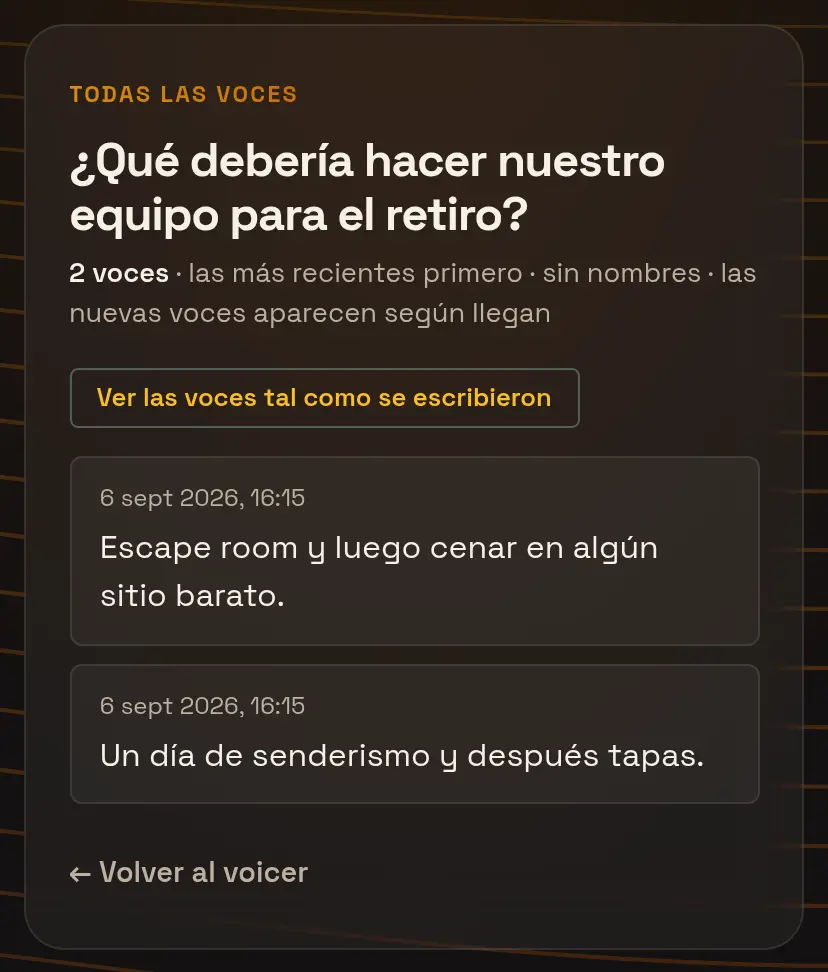
If the facilitator has opened the room so people can read each other, the fourth-row person can scroll every voice as written: some in English, some in Spanish, maybe one in German. That mix is part of the experience. One toggle turns the whole list into Spanish for them, and only for them.
# What it feels like from the front of the room
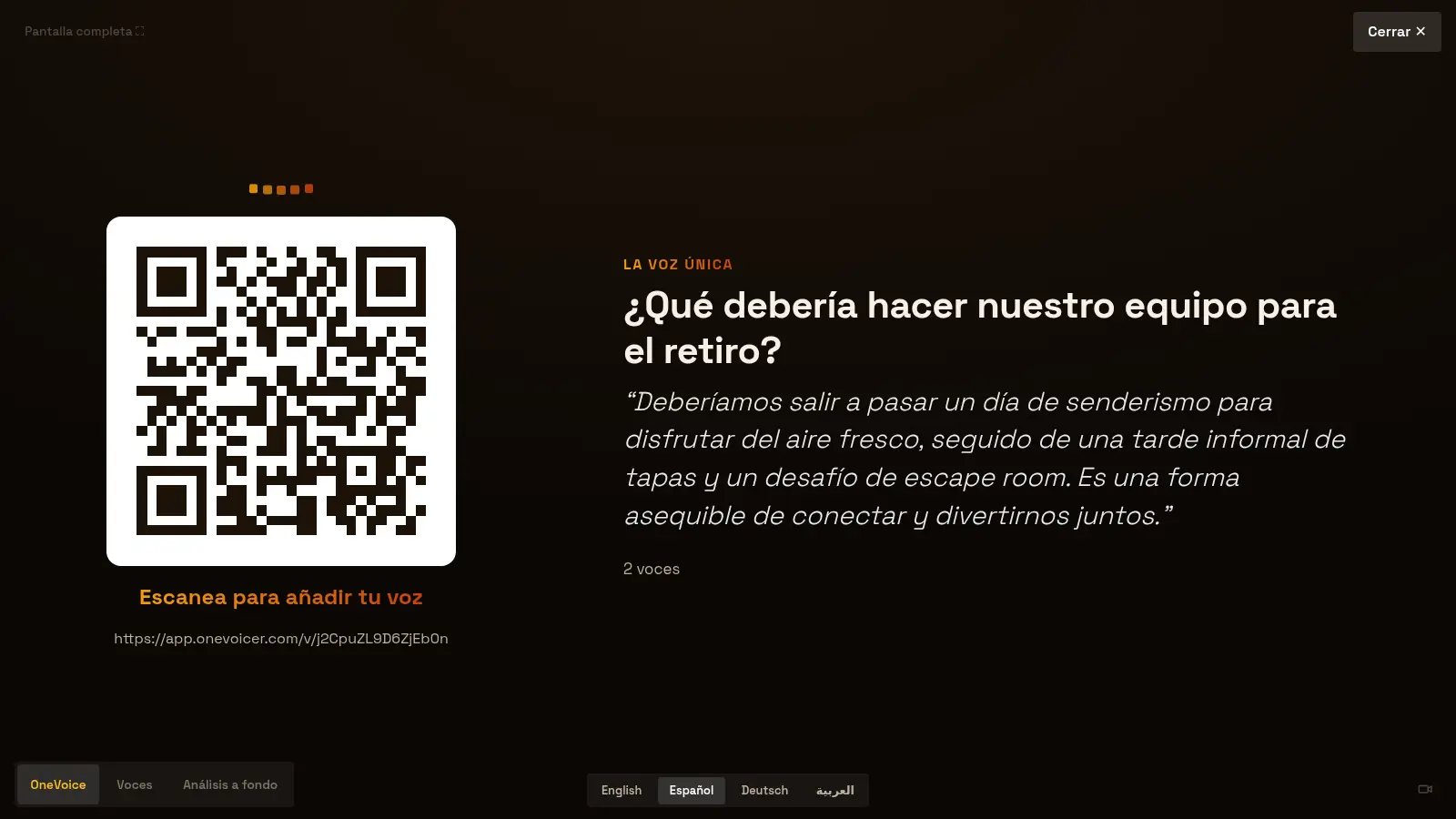
The facilitator’s side is quieter than you might expect. There is one QR code, not one per language, and one screen. She presents in the room’s working language and lets the phones carry the rest. When the shared answer lands, she can read it aloud knowing that everyone with a phone is reading the same conclusion in the language they chose.
There are moments when the room should see another language on the big screen: a Spanish-speaking table asks a question, or she simply wants to show the room that the tool is doing what she promised. A row of language names at the bottom of the stage flips the screen in place. The question, the answer, and the report all change; the QR code, full screen mode, and her place in the session do not. Flipping back is the same single tap.
She did not translate the handouts, brief a colleague to interpret, or run two versions of the slide. The room did its own translating, one phone at a time.
# The languages you can offer
The list below is what OneVoicer can speak today, grouped the way the picker groups them. Each language appears under its own name for itself, because that is the one label a person can always read, and the list is deliberately weighted to languages where the translation is reliably good rather than every language that is possible. Arabic, Hebrew, and Persian switch the page to right-to-left. The list grows on request.
| Region | Languages |
|---|---|
| Western Europe | English · Español (Spanish) · Français (French) · Deutsch (German) · Italiano (Italian) · Português (Portuguese) · Nederlands (Dutch) · Svenska (Swedish) · Norsk (Norwegian) · Dansk (Danish) · Suomi (Finnish) |
| Central and Eastern Europe | Polski (Polish) · Čeština (Czech) · Українська (Ukrainian) · Русский (Russian) · Română (Romanian) · Magyar (Hungarian) · Ελληνικά (Greek) · Türkçe (Turkish) |
| Asia | 简体中文 (Chinese, Simplified) · 繁體中文 (Chinese, Traditional) · 日本語 (Japanese) · 한국어 (Korean) · Tiếng Việt (Vietnamese) · ไทย (Thai) · Bahasa Indonesia (Indonesian) · हिन्दी (Hindi) · বাংলা (Bengali) · Tagalog |
| Middle East and Africa | العربية (Arabic, right-to-left) · עברית (Hebrew, right-to-left) · فارسی (Persian, right-to-left) · Kiswahili (Swahili) |
# How OneVoicer sets it up
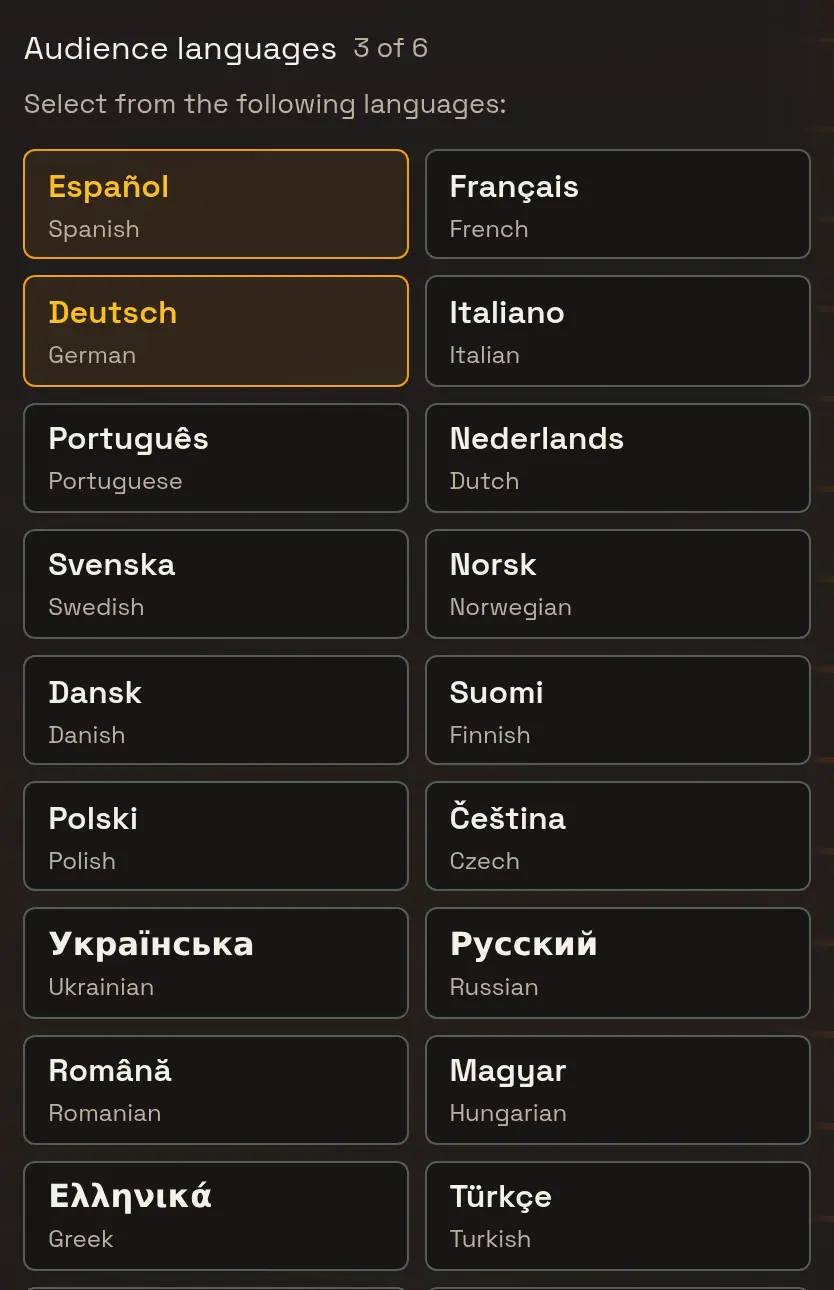
Two settings on a voicer do all of this. The first is the presenter language: the language you write the question in, and the one the shared answer, the stage, the deep dive, and any exports come out in. The second is the audience languages, a set of pills you tick from the list above. Creator plans offer up to three audience languages on top of the presenter language, and Agency plans offer six.
That is the whole setup. Save, print the one QR code, and the switcher appears on every phone that scans it. The question and its note are translated the moment you save, so the first person to tap a language finds their page ready. The shared answer and the room translate on demand, once per language, so the twentieth Spanish reader costs the same as the first.
# Running a bilingual session in five steps
The shared-answer test in practice. Each step takes less time than reading it.
- Set the presenter language Pick the language you will present in and write your question in it. This is the language the big screen and the shared answer use by default.
- Choose the audience languages Tick the languages you expect in the room. You usually know them already. Three on Creator, six on Agency.
- Put up one QR code One code for everyone. The switcher on each phone does the rest, and a printed sign for a specific table can carry a link that opens in that language.
- Present in one language, let the phones carry the rest Read the shared answer aloud in your language. Everyone with a phone is reading the same thing in theirs. Flip the stage to another language when the room should see it.
- Open the room Let people read every voice as written, with a toggle to translate the list for themselves. Seeing the mix is part of what makes a multilingual room feel like one room.
# Frequently asked
Do people have to pick a language before they can answer?
No. The page opens in the presenter language and the switcher sits right under the heading. Anyone can answer in any language whether or not they switch; switching only changes what they read.
Does the tool guess the language from the phone?
No, and that is deliberate. Phones are often set to a language their owner does not prefer for reading, and the guess is wrong in exactly the multilingual households this is meant for. People choose from the languages the facilitator approved, and a printed link can preselect one for a table.
Are the replies themselves translated?
Only when someone asks. The open room shows every voice as written. A reader can toggle the list into their language, and the facilitator’s results and export can show the replies in the presenter language. The shared answer reads every reply in its original language before it is written.
Can I switch the stage language mid-session?
Yes. The language row at the bottom of the stage flips the screen in place, keeps full screen mode, and flips back the same way.
Does translation change what someone said?
It should not, and it is asked not to. Translations keep the meaning, tone, and any names or codes exactly, and the original is always one tap away in the room. If you are running a session where wording is evidence, show the originals.