OneVoicer
The harvest tool for large group facilitation
You run the structure. OneVoicer runs the harvest: everyone sends what their table found from their phones, every voice lands on the screen, and a first synthesis forms for the room to discuss while the session is still moving. Afterwards you leave with every voice, verbatim, for the report.
Built for the front of the room
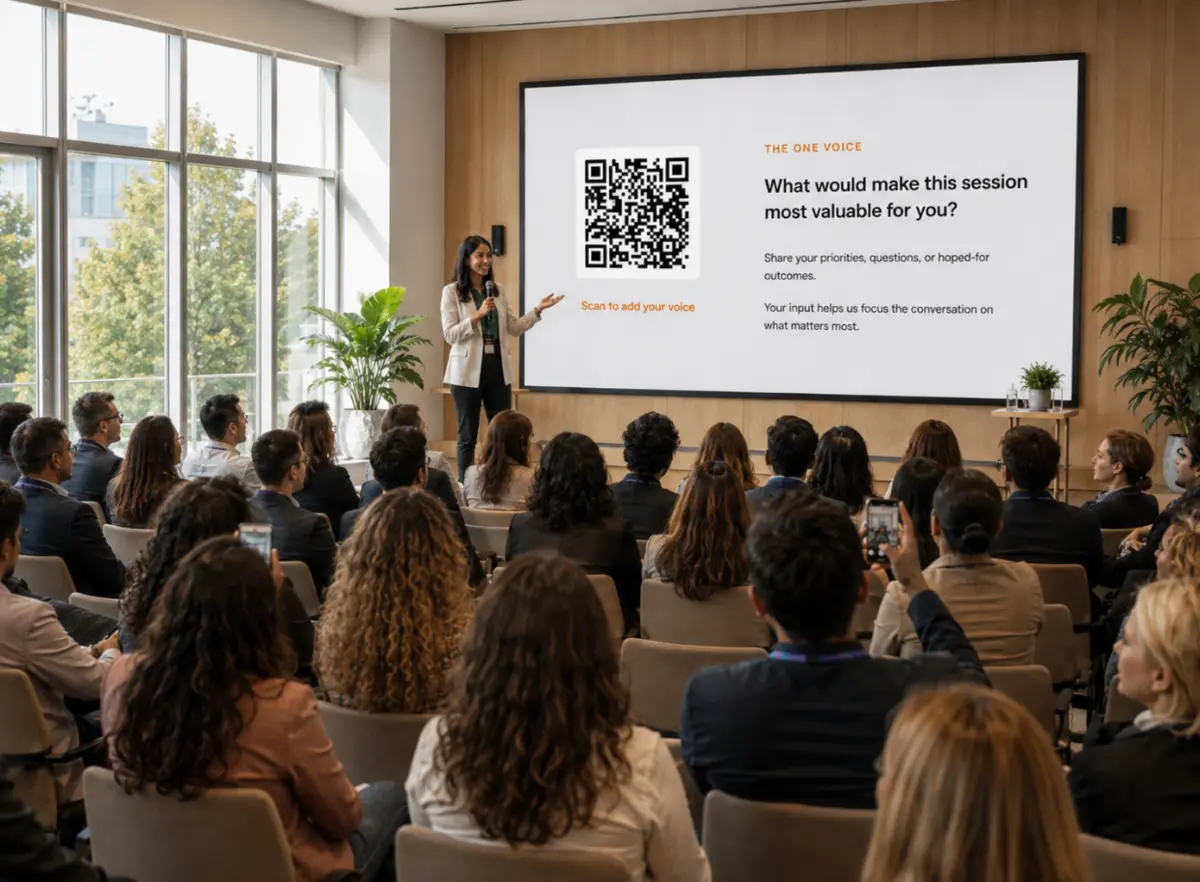
Nothing for participants to install or sign up for: the voicer goes up on the screen with its QR code, the room sends its harvest, and you decide what to show back.
- 1 Run the structure
Any Liberating Structure, your call. When it is time to harvest, open your voicer’s presentation view on the room display: the QR code sits beside the live one voice, so the input and the output share the screen.
- 2 Everyone sends at once
People scan with their phone camera and answer in the browser, anonymously by default. Two minutes of typing captures every table, not just the ones that get the microphone.
- 3 Show it back, then go deeper
Switch the stage between the voices as they landed, the one voice, and the deep dive. You facilitate the conversation each view starts, then move the room to the next question.
Use Response criteria to tell the blend what shape to come back in, like “group the responses into three to five clusters, name each, and quote the strongest voice under each.” The one voice arrives as the affinity grouping you would otherwise do by hand, ready to discuss.
-
Run your structure, then put the QR code on the room screen
- 📱
Every person or table sends their harvest from a phone, anonymous by default
-
The voices land live, a first synthesis forms, and you take the raw data home
The harvest is where big rooms lose the most
A good structure gets forty people thinking and talking at once. The harvest is where that width collapses back to one channel: each table picks a spokesperson, each spokesperson picks a highlight, and the room hears five summaries of summaries while the rest of what was said stays at the tables.
A QR code on the screen keeps the harvest as wide as the structure. Every person or every table sends what they found, in their own words, in the same two minutes. You have forty first-hand answers instead of five report-outs, and because voices are anonymous by default, you hear the hesitant ones too.
A first synthesis to discuss, not a verdict
As voices land, OneVoicer blends them into one voice: a short synthesis of what the room said, formed on the screen while the room watches. Treat it as the first draft of the debrief. Put it up, ask “is that right?”, and let the room correct it; the voices underneath are always there to check it against, and late answers keep folding in as the blend refreshes.
When the room is ready to go deeper, a deep dive reads the same voices through six lenses, consensus, priorities, minority voice, dissent, positive deviance, and tensions, each card quoting the voices behind it. It is sense-making material for the next conversation, one card per screen, stepped through at your pace.
Leave with the source and write better reports
Every voice is kept verbatim with a timestamp, one list per question. Download it as a CSV, quote the room’s own words in the client report, and use the timestamps to see what came in during the structure and what came after the conversation moved. The synthesis and the deep dive you showed the room stay on the results page as the live record.
Questions worth asking
- What did your table land on?
- What’s the real problem we should be solving today?
- What’s one risk nobody has said out loud yet?
- What is the one thing we should do now?
- What’s your one takeaway from this session?
Good to know
Does OneVoicer replace the facilitator?
No. You choose the structure, hold the room, and decide what happens next. OneVoicer collects the harvest, shows it back, and offers a first synthesis. What the room does with it is still your work.
Does it work with Liberating Structures?
Yes, that is where it fits best. Run 1-2-4-All, TRIZ, What, So What, Now What, or any structure you like to generate the material, then open a voicer for the harvest. It takes the harvest step off your hands so the structure gets the room’s full attention.
How big a group can this handle?
Twelve people or twelve hundred, everyone sends at the same time and every voice is read into the blend. Each plan sets how many voices a question can collect; the free Starter plan covers a small room, with no credit card.
Can I run several questions in one session?
Yes. Each question is its own voicer with its own link and QR code, so you can stage a sequence, an opener, the main harvest, a close-out, and move through them as the session flows. On Creator and Agency, Groups put up to five voicers behind one link and QR so the room scans once.
What do I take home for the client report?
Every voice, verbatim, with a timestamp. On Creator and Agency each question’s voices download as a CSV from the results page, names never included, and the one voice and the deep dive stay on the results page as the live record.