OneVoicer
Webinar Q&A and live engagement, without the chat chaos
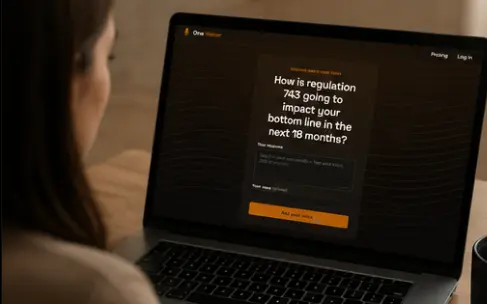
Webinar chat scrolls faster than you can read it, and the best question is gone in seconds. Share one link, let every attendee answer, and OneVoicer’s AI blends it into the questions actually worth your airtime.
-
Share a QR code, or drop the join link in chat
- 📱
Attendees answer right in the browser, nothing to install
-
The questions worth answering rise to the top, blended live
The best question is gone before you finish reading it
Webinar chat scrolls faster than anyone can keep up with, and the one comment worth answering vanishes in the churn. Hand everyone a single link instead and let them weigh in there. OneVoicer pulls the few questions actually worth your airtime back out of the noise.
It sits next to whatever you already run
Zoom, Teams, Meet, your webinar tool of choice: OneVoicer is just a link you drop in chat or onto a slide. Nothing to install, nothing to integrate.
The link stays open after you sign off, so the stragglers keep answering and you can blend a tidy summary the next morning.
Questions worth asking
- What do you most want me to cover today?
- What almost stopped you from registering?
- Which feature should I demo first?
- What’s still unclear so far?
- What would make this a yes for your team?
Good to know
Does it work with Zoom, Teams, or my webinar platform?
Any of them. OneVoicer is just a link you share in chat or on a slide. It sits alongside whatever platform you’re already running.
Do attendees need to sign up?
No, not by default. They answer in the browser. On paid plans you can require sign-in so each voice is one verified person.
Can I keep collecting after the webinar ends?
Yes. The link stays open, so late replies keep arriving and you can re-blend for a post-webinar summary.