7 ways to engage your audience at a hackathon
Prizes only motivate the teams who might win. Here’s how to engage everyone else.
What you’ll learn
- Why most people at a hackathon aren’t there for the prize
- Seven ways to keep the whole room involved
- How to make demo day and the follow-up count
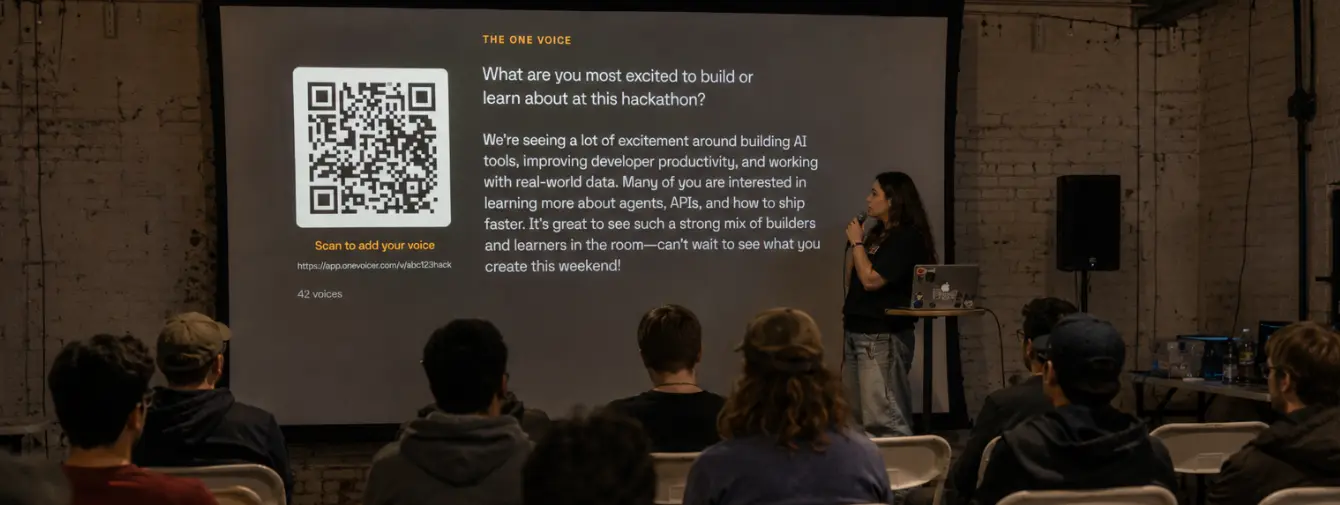
Every hackathon has the same energy curve: a loud kickoff, a loud demo day, and a long quiet middle where two hundred people stare into laptops and the organizers have no idea how any of them are doing. The silence hides the team stuck on authentication for three hours, the first-timer who never found a team, and the remote participant one unanswered message away from logging off.
Closing that gap is worth real money and real retention: Freeman’s 2025 Trends Report found that 78% of event organizers believe they deliver a genuine peak moment while only 40% of attendees recall one, and that attendees who do experience one are 85% more likely to come back. Here are seven ways to engage the whole room from the opening slide to the recap email, roughly in the order the event unfolds.
# First, know what participants actually want

It is not what the prize table implies. When a survey of 150 US hackathon participants asked why they attend, reported by Gerard Briscoe and Catherine Mulligan in their 2014 study of the hackathon phenomenon, the top answers were learning (86%) and networking (82%). Winning prizes came in at 28%, barely ahead of free pizza at 27%. A bigger prize pool motivates the handful of teams who might win it; feeling heard motivates everyone else, which is most of the room. Every tactic below is a variation on that theme: give the crowd a voice, and act on it where they can see you do it.
# 1. Open with the room’s own voice
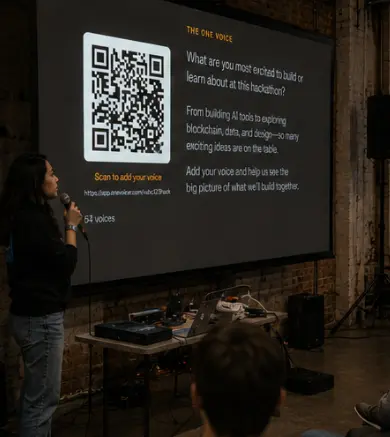
The standard kickoff deck talks at the room: wifi password, schedule, judging criteria, sponsor logos. Keep all of that, but put one open question on the slide next to a QR code before you start talking: “what are you most excited to build or learn this weekend?” People scan with the camera already in their hand and answer from their seats in the time it takes everyone else to sit down, no app, no account.
As the answers arrive they are blended into a single live summary on the screen, so the room watches its own collective excitement take shape in real time. The MC gets an opener no script can beat: reading the room back to itself. And the first thing every participant did at your event was contribute to it, which quietly sets the rule for the whole weekend. If your kickoff runs from PowerPoint, the OneVoicer add-in puts the question, the QR code, and the live answer directly on the slide, and the same link works identically for anyone joining on the stream.
# 2. Run a build wall
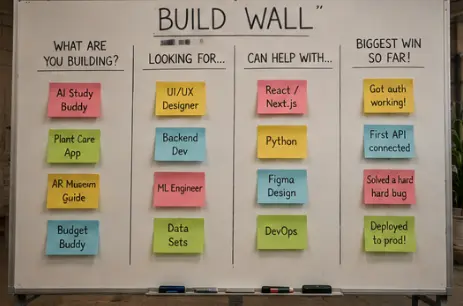
The sticky-note build wall is a hackathon classic for good reason: columns like “what are you building,” “looking for…,” “can help with…,” and “biggest win so far” turn a blank wall into a public map of the event. It is physical, it is joyful, and walking past it makes the whole room legible in thirty seconds. If you have wall space, run one.
Two details separate a great wall from a dead one. First, location: put it where people are forced to idle, next to the food line or the coffee, not by the exit. Second, seed it: a blank wall asks people to go first, so have the organizing team and mentors post the opening dozen stickies before the doors open, especially in “looking for…” and “can help with…”. Assign someone to walk it every few hours, move stale notes, and read the best “biggest win” stickies aloud at check-ins. And photograph it before teardown; it is the most honest snapshot of the event you will get.
# 3. Keep a standing “what’s blocking you?” question
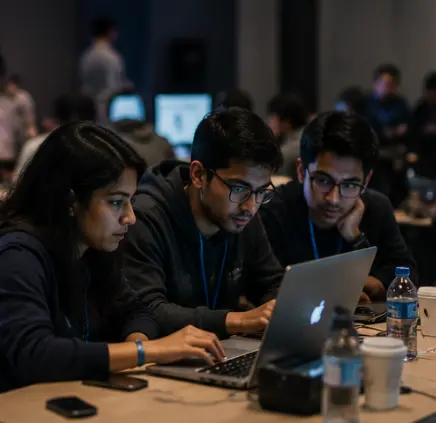
Here is the most useful question at any hackathon, and the one nobody answers out loud: “what is blocking you right now?” Walking to the organizer table to admit your team is stuck feels like a confession, so teams grind silently instead, and the event loses hours it cannot get back. Typing a sentence anonymously from your seat costs nothing. Keep one voicer open for the whole event asking exactly that, and put the QR code on every table.
The blend becomes a live diagnostic of the room. If one team mentions the wifi, that is their problem; if the blend leads with the wifi, that is your problem, and you found out at 2pm instead of in the retro. Glance at it every couple of hours. For a multi-day event, switch on daily record and reset: each morning starts a fresh page, and yesterday’s blockers are recorded as a history you can compare, day over day.
# 4. Run mentor office hours
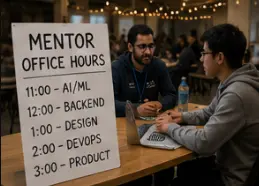
Mentor office hours are one of the best engagement mechanics a hackathon has, because they turn asking for help from an interruption into an appointment. A posted schedule, AI/ML at 11, backend at 12, design at 1, and a person who will actually sit with your team for twenty minutes. For the first-timer who would never flag down a stranger, the schedule is permission.
The craft is in the details. Put the mentors at a visible table in the middle of the room, not in a side room nobody wants to walk into. Post the schedule at kickoff and pin it in the event channel, then have mentors roam during their empty slots instead of waiting to be approached. And treat the schedule as a draft: if half the room turns out to be stuck on authentication, swap the afternoon design slot for a second backend mentor and announce why. Help that visibly follows demand is what makes people ask for more of it.
# 5. Put the wins on the wall too
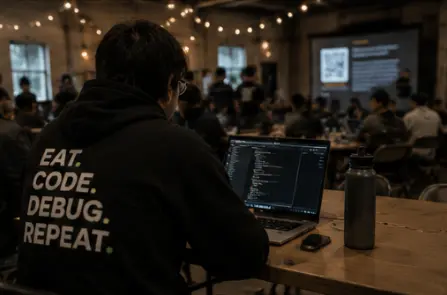
An event that only asks “what is blocking you?” starts to feel like a support queue. Run the opposite question alongside it: “what is your biggest win so far?” Getting OAuth to finally work, the model accuracy that jumped, the teammate who turned out to know Postgres cold. Small victories are the actual texture of a hackathon, and they normally evaporate unwitnessed.
Blended, they become the event’s heartbeat. Put the wins question on the venue screens between announcements, so anyone who looks up from their laptop sees momentum instead of a sponsor logo loop. The MC reads the best ones aloud at the evening check-in. Remote participants see a room that is visibly alive. It costs the organizers nothing, and it is the cheapest energy you will ever inject into hour nineteen.
# 6. Make every team take a team photo
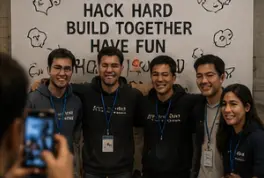
This one needs no software at all, which is part of why it works. Hang a backdrop banner, pick a slogan worth standing in front of, and send someone around during the first evening, not at the end, to photograph every team in front of it. A group of strangers who posed together as a team starts acting like one; the photo is a small, physical commitment to finishing the weekend together.
Then spend the photos. Cycle them on the venue screens alongside the wins, drop them in the event channel as they are taken, and lead the recap email with the full gallery. For an internal company hackathon the photos do extra duty, because they are the artifact that convinces next year’s budget owner that this thing has a culture. It is the lowest-tech idea on this list and routinely the one people remember.
# 7. Give demo day a reaction channel and a clean vote
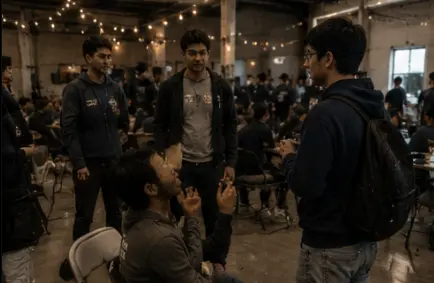
Demo day is the payoff, and for most teams the payoff is ninety seconds of applause and then silence. Fix that with an open reactions question that runs while the demos do: “which demo surprised you, and why?” The audience answers between presentations, and every team walks away with something no scoreboard gives them, the room’s actual words about what they built. For the presenters, that beats the prize table; remember what people said they came for.
The people’s choice award is different, because there the count has to be real. An open anonymous question is the right tool for reactions and the wrong tool for a vote that someone can win by tapping refresh. For the vote, require sign-in on the voicer (a Creator plan feature), so each account casts exactly one voice, and read out the result minutes after the last demo. One channel for warmth, one for arithmetic, and both of them close the weekend with the audience doing the talking.
# The eighth way happens after everyone leaves
The retro survey is where hackathon feedback traditionally goes to die: a ten-question form in a thank-you email, answered by almost nobody, read by fewer. Send one open question instead, the same shape you used all weekend: “what is the one thing we should change next year?” Anonymous, one sentence, answerable in the time it takes to delete the email it arrived in. The replies blend into a single readable answer, so the organizing team’s debrief starts from what the whole event thought rather than from the three loudest anecdotes.
Then close the loop in public. When registration opens next year, lead with the change: “you told us the judging criteria landed too late, so this year they ship with the schedule.” Briscoe and Mulligan ended their 2014 study by arguing that the most important output of a hackathon is the community that develops around it. The community is built exactly here, in the space between asking people what they think and showing them it mattered.
# The whole plan, kickoff to recap
Five moves, most of them one question each. Write everything before the event and the weekend runs itself.
- Write the questions before the event Four in total: the kickoff icebreaker, the standing blocker question, biggest win so far, and the retro. Print QR codes for the tables and put the links in the event channel.
- Open the kickoff with the icebreaker The question and QR code go on the opening slide, and the blended answer forms while people settle in. The MC opens by reading the room back to itself.
- Run blockers and wins all event Keep both standing questions open, cycle the wins on the venue screens, and reshuffle mentor office hours toward whatever the room says it is stuck on. Take the team photos on night one.
- Switch to reactions and a verified vote for demos An open reactions question runs while teams present; the people’s choice vote requires sign-in so each person casts exactly one voice. Announce the result minutes after the last demo.
- Send the one-question retro, then close the loop One open question in the recap email, read as a single blend. When next year’s registration opens, lead with the thing you changed because of it.
# Frequently asked
Do participants need an app or an account to take part?
No. They scan a QR code or tap a link and answer in the phone browser, with nothing to install and no sign-up. Answers are anonymous by default. The one place accounts earn their keep is the people’s choice vote, where requiring sign-in makes it one voice per person.
Won’t an anonymous board at a hackathon just fill up with jokes?
Some jokes will land in there, and a few are good for morale. The blend reads the whole room, so when dozens of people answer sincerely the noise washes out of the summary. You can also open the individual voices and remove anything that crosses a line, and hackathon crowds are better at self-policing than most.
When does a question need sign-in instead of staying anonymous?
Anonymous is right for almost everything here: blockers, wins, reactions, the retro, because honesty matters more than identity. Require sign-in only when the count itself is the point, like the people’s choice vote, where each account then casts exactly one voice. That is a Creator plan feature.
Do I need a paid plan to run this at a hackathon?
The free Starter plan runs three live questions with up to 25 voices each, which is enough to try the loop at a small meetup. A weekend event with hundreds of participants and several standing questions fits the Creator plan, which also covers the verified vote and daily record and reset for multi-day events.
Does this work for an internal company hackathon?
If anything it works better, because the audience comes back every year and remembers. Anonymity matters more when your manager is in the room, so keep the blocker question and the retro anonymous. And the team photos and the retro blend are exactly the artifacts that make next year’s budget conversation easy.
# References
- Gerard Briscoe & Catherine Mulligan, “Digital Innovation: The Hackathon Phenomenon,” Creativeworks London Working Paper No. 6 (2014) · in a TokBox survey of 150 US hackathon participants, learning (86%) and networking (82%) topped the reasons for attending; winning prizes was 28%, free pizza 27%
- Freeman, “New Freeman Trends Report: Unpacking XLNC” (2025) · only 40% of attendees recall a peak moment vs 78% of organizers who believe they deliver one; peak-moment attendees 85% more likely to return