The Mentimeter alternative for open-ended questions
A word cloud or one clear answer: which fits your open-ended question.
What you’ll learn
- What Mentimeter does well, and where word clouds fall short
- How one combined answer differs from a list of replies
- Which tool to reach for, and when
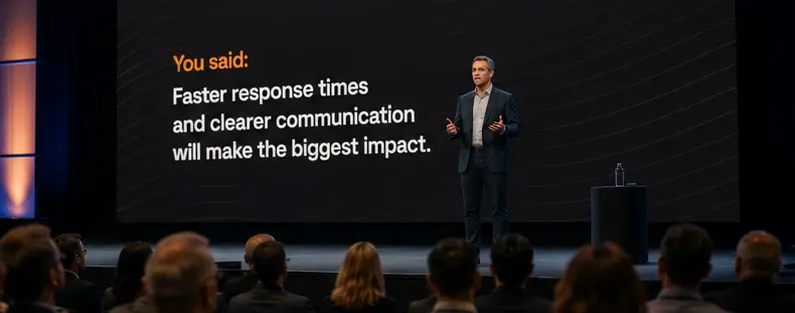
Live audience-response tools let a presenter ask a room a question and show the answers on screen as people reply from their phones. For questions with a countable answer, a multiple-choice poll, a rating, a quiz, the result is straightforward: a bar chart, a score, a ranked list. Open-ended questions work differently. The responses arrive as free text, and the tool has to present many individual sentences at once.
Mentimeter, a widely used tool in this category, displays open-ended responses as a word cloud or as a scrolling set of individual answers. OneVoicer approaches the same input differently: it combines every response into one written answer. This article compares the two approaches: what each is built for, how each handles open-ended responses, and which one fits a given situation, whether you are presenting to an audience or facilitating a large working group.
# Two tools, two different jobs
Both tools let an audience answer a question from their phones, but they are designed around different tasks. Mentimeter is an audience-engagement platform built around a live presentation, with polls, quizzes, scales, and word clouds placed inside a slide deck. OneVoicer is built around a single open-ended question and combines the responses to it into one written answer. The table below summarizes how the two compare.
| Mentimeter | OneVoicer | |
|---|---|---|
| Built for | Live audience engagement inside a presentation: polls, quizzes, word clouds, Q&A | Understanding one open-ended question: every voice blended into a single answer |
| Open answers appear as | Speech bubbles or a flowing grid of individual responses, a word cloud, or themes from AI grouping | One written paragraph that reads like the group answering together, with every voice still listed underneath |
| Who does the synthesis | You do, live, by reading the spread | The blend does, into one answer you can read aloud |
| Time model | Live, during a session you present | Live, or standing for hours, days, or weeks |
| Over time | Results live with each presentation | Record and reset builds a weekly digest with history |
| Getting in | Scan or enter a code, no app | Scan a code or open a link, no app |
# What Mentimeter is genuinely good at
It is worth being specific about Mentimeter’s strengths, because they are real and this is not a takedown. Mentimeter describes itself as an audience-engagement platform for turning presentations into conversations, and on that terrain it is excellent. The interactive pieces all live inside your slides and integrate with PowerPoint, so the engagement sits where you already present:
- Live polls
- Bars that fill as the room votes, so a question resolves into a clear winner on the screen in seconds.
- Quizzes
- Scored questions with a leaderboard and a countdown, the fastest way to wake a room up after lunch.
- Word clouds
- A word from each person, blooming larger as the same term repeats, a lively warm-up for a session.
- Q&A
- A live feed of audience questions the room can upvote, so the ones people care about rise to the top.
- AI grouping
- Automatic clustering that helps spot trends and prioritize questions across a set of responses.
When your question has a countable answer, a winner, a score, a show of hands, this is the right shape of tool. Reaching for something else would be overthinking it.
# Where a word cloud stops being an answer
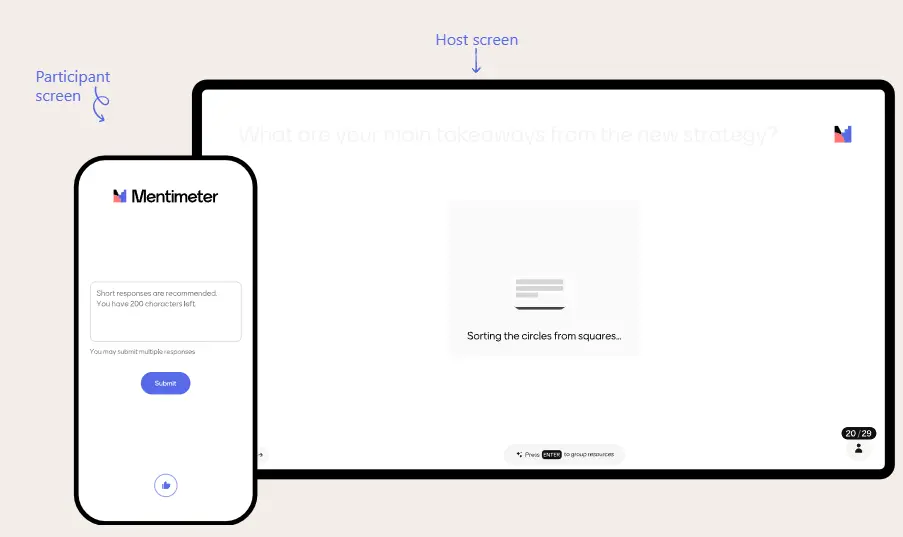
The trouble starts when the question is genuinely open. Ask “what should we change about how we work?” and the responses come back as sentences, each carrying a reason, and the tools for showing them flatten that reason back out. A word cloud, by design, sizes words by how often they appear, so it rewards the common over the meaningful: it tells you which words were frequent, not which ideas mattered.
The bubble and grid layouts avoid the frequency trap but trade it for a volume problem. Mentimeter’s open-ended slides show responses as speech bubbles or a flowing grid, each answer a couple hundred characters, scrolling as more arrive. That is a faithful display of everything everyone said, and with more than a handful of people it becomes a wall you cannot read aloud. The tool has handed the responses back to you honestly and left the actual work, reading forty sentences and telling the room what they add up to, entirely in your hands, live, while everyone waits. Facilitators know this moment well from its analog form: the wall of sticky notes, the sorting into clusters, the stretch of a large-group session that pauses while the themes get found.
None of this is a flaw in the tools. It is what these visualizations are for: showing the shape of many answers, not producing the one answer. For an open-ended question, the one answer is the whole point.
“Word clouds tend to surface the words you would expect people to be using, and only communicate the headlines. The best insights are the ones that surprise you, and word cloud data visualizations rarely do that.”
Relative Insight, on what word clouds hide
# The blend: one voice instead of a wall
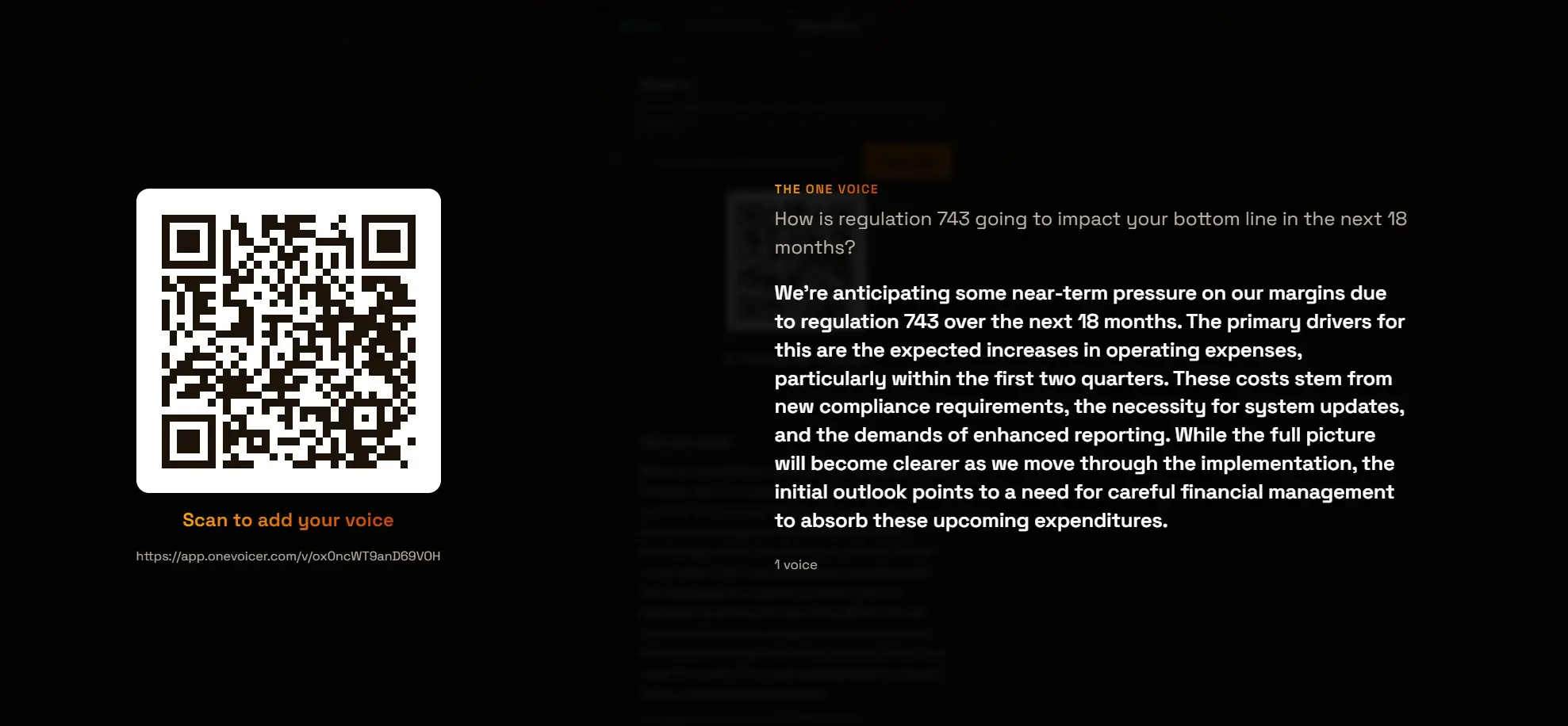
This is the job OneVoicer is built for, and the difference is the output. You ask one open-ended question and share it the same easy way, a QR code or a link, no app to install. As answers arrive, OneVoicer reads all of them and blends them into a single written paragraph, the “one voice,” that reads like the whole group thinking out loud together. Instead of forty bubbles to interpret, you get one answer to read.
Put it in present mode and the difference is physical. The question and the blended answer fill the screen next to a QR code, and as people scan and add their thoughts the single answer reforms in real time. Nobody in the room has to parse a scatter plot of sentences. They watch their input fold into a shared reply, phrased in the group’s own words. The synthesis a presenter or facilitator used to perform live, out loud, under pressure, is simply done.
This is exactly the case the frequency view misses. Open-ended questions are valuable precisely because, as Qualtrics notes, they give you feedback “in their own words instead of stock answers,” and where a closed question tells you the “what,” an open one tells you the “why.” Qualtrics also names the catch: open responses are “difficult to quantify.” The blend is the answer to that catch. It keeps the why and the own-words texture, and still hands you something you can read in one breath.
# Nothing is hidden underneath
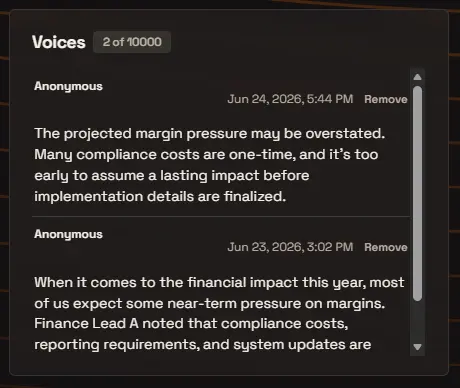
The reasonable worry about any summary is that it papers over the individuals, so it is worth being clear: the blend is a reading of the responses, not a replacement for them. Every voice is still there in full, listed and timestamped, and you can open the list any time to read them one by one. If a single answer crosses a line or wandered off topic, you remove it, and the blend re-forms without it.
So you are not trading honesty for tidiness. You get the one-paragraph answer for the room and the meeting, and the full, unedited record underneath for anyone who wants to audit how the blend got there. Responses stay anonymous by default, which for candid feedback is usually the right setting, and you can require sign-in on a question when you need one verified answer per person instead.
# Past the live session: a standing question with history
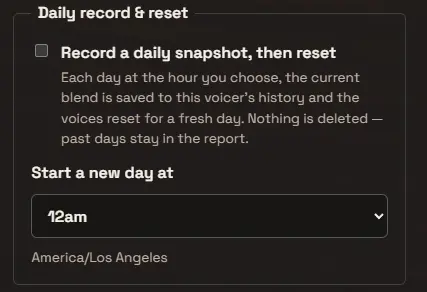
The other place the two tools diverge is time. Mentimeter’s natural unit is the presentation: you run the session, the results live with it, and the interaction ends when the slides do. That fits a keynote or a class perfectly. It fits a question you want to keep asking less well.
A OneVoicer question does not need a live session at all. It can stand for hours, days, or weeks, collecting answers whenever people happen to scan it, on a poster, in a newsletter, in a chat channel. Turn on record and reset and the standing question becomes an ongoing digest: each day or week, on the schedule you choose, the current blend is saved to the question’s history and the voices reset for a fresh period. Nothing is deleted, past periods stay in the record, and you end up with a dated series of one-paragraph answers you can scroll like a changelog of what the group is thinking. That is a different artifact than a folder of past presentations, and it is the one you want when the goal is to listen continuously rather than to run a moment.
# So which should you reach for?
The choice comes down to what kind of answer you need, and the two often pair naturally: run your live polls in the Mentimeter deck, and let a standing OneVoicer question carry the one open-ended prompt whose answer you actually want to keep.
- Reach for Mentimeter
- when the interaction is the point and the answers are countable: a poll to break the ice, a quiz with a leaderboard, a word cloud warm-up, a Q&A feed during a keynote, all inside a deck you are already presenting. OneVoicer does not try to be a live quizzing tool.
- Reach for OneVoicer
- when the question is open and you want the answer, not the scatter: when you would otherwise be narrating a word cloud on your feet, scrolling a grid of sentences trying to summarize live, clustering a large group’s forty answers into themes before the next exercise can start, or wishing the same question could keep listening after the meeting ended.
If the answer you need is a number or a winner, count. If the answer you need is a sentence the whole group could nod at, blend.
# Try the open-ended question in OneVoicer
Five minutes to see the difference on your own question. No app for anyone, and the free Starter plan is enough to run the first one.
- Ask one open-ended question Write the prompt you actually want the room’s thinking on, the “why” question, not the multiple-choice one. Something like “what should we change about how we work?”
- Share it with a QR code or link Drop the code on a slide, a poster, or in a chat channel. People answer in the phone browser in about thirty seconds, with nothing to install and no account.
- Read the one voice, live Open present mode and watch the blended answer form as responses arrive. Read that single paragraph aloud instead of narrating a wall of bubbles.
- Set record and reset to keep it going If the question is worth asking again, turn on weekly record and reset so the standing question builds a dated history of digests you can scroll later.
# Frequently asked
Is OneVoicer a replacement for Mentimeter?
Not exactly, and that is the honest answer. Mentimeter is a full live-presentation engagement tool with polls, quizzes, and word clouds. OneVoicer does one thing, turning an open-ended question into a single blended answer, and does it live or over time. Many people use both: Mentimeter for the interactive slides, OneVoicer for the open question whose answer they want to keep.
Does OneVoicer do live quizzes and polls?
No. Leaderboards, scored quizzes, and multiple-choice polling are Mentimeter’s home turf, and OneVoicer does not try to replace them. OneVoicer is for open-ended questions, where the value is in the blended answer rather than a count or a winner.
Which is better for facilitating workshops and large groups?
It depends on the exercise. For icebreakers, votes, and quizzes inside a session, Mentimeter’s formats are hard to beat. For the open questions where a facilitator would otherwise cluster sticky notes or narrate a wall of responses, the blend does that synthesis live, so a large group can watch its own themes form and the debrief starts immediately.
Do participants need an app or an account?
No, for either tool. With OneVoicer people scan a QR code or open a link and answer in the phone browser in about thirty seconds. There is nothing to install, no sign-up, and the name field is optional.
Are the responses anonymous?
By default, yes, which for candid feedback is usually the right setting. If you need one verified answer per person, for example a poll you plan to quote, you can require sign-in on that question instead.
What happens to the individual answers when they are blended?
Nothing is lost. The blend is a reading of the responses, and every voice stays listed and timestamped underneath it. You can open the full list any time, and remove any single answer that crosses a line so the blend re-forms without it.
What does OneVoicer cost?
The free Starter plan runs three live questions with up to 25 voices each, enough to try an open-ended question and see the blend for yourself. Record and reset, the feature that turns a standing question into a weekly digest with history, is on the Creator plan.
# References
- Mentimeter, “Features” (2026) · audience-engagement platform with live polls, quizzes, surveys, live word clouds, Q&A, and AI grouping to spot trends across responses
- Mentimeter Help Center, “How to use Open Ended slides” (2026) · open-ended responses display as speech bubbles or a flowing grid, scrolling as more arrive
- Mentimeter, “Pricing – Free, Pro & Enterprise Plans” (2026) · per-presenter plans, free tier limited by participant count, paid tiers billed annually
- Relative Insight, “Word frequency analysis: what word clouds are hiding” · word clouds surface expected words and communicate only the headlines, rarely surprising insights
- Qualtrics, “A Quick Guide to Open-Ended Questions in Surveys” · open-ended questions capture feedback in respondents’ own words and the “why,” but open responses are difficult to quantify