How to collect daily feedback with a QR code
Swap gut feel for a daily read on what your customers think.
What you’ll learn
- Why a daily question beats an annual survey
- How to set it up with one QR code
- How to turn a month of replies into decisions
Ask a small-business owner how their customers feel and most will tell you, confidently, that things are good. Ask the customers and you often get a different story. Bain & Company put numbers on that gap back in 2005: 80% of companies believed they delivered a superior experience, while only 8% of their customers agreed. Twenty years on, most small businesses still find out which side of that gap they are on once a year at best, through a survey almost nobody reads.
The fix is not a longer survey. It is a shorter, more frequent one. If a hundred people pass through your business each day, whether they are customers at a counter or staff clocking in and out, that is a hundred chances to hear something true while you can still act on it. This guide walks through how to set that up cheaply, ask in a way people actually answer, and turn the daily pile of replies into one clear read you can track across a month.
# Why a daily pulse beats an annual survey
An annual engagement or satisfaction survey is a rear-view mirror. By the time you read the results, the shift that went badly, the menu change that flopped, or the new checkout flow that confused people is months in the past, and so are the people who could have told you about it. Feedback decays. Its value is highest on the day it is given.
Frequency is also what makes feedback land. Gallup found that 80% of employees who say they received meaningful feedback in the past week are fully engaged, yet only about 21% of US employees strongly agree they actually got any. The signal works, but almost nobody is sending it often enough. The same logic holds for customers: PwC reported in 2018 that 32% of people would walk away from a brand they love after a single bad experience, which means the window to notice and respond is days, not quarters.
None of this is small money, even if your business is. Gallup estimates that low engagement costs the global economy 8.8 trillion dollars a year, around 9% of GDP. You will not recover all of that with a QR code on the wall. But the businesses that close the gap are almost always the ones who hear about a problem on Tuesday instead of next March.
# 100 replies a day is more signal than you think
A hundred responses sounds modest next to the big consumer studies, but for a single location it is a genuine sample. A hundred a day is roughly three thousand a month, far more than enough to see a pattern, spot a recurring complaint, or notice the day morale dipped. Most owners have never had that much honest, recent input in their hands at once.
The same loop works whether the hundred people are guests or employees. A cafe, clinic, gym, salon, dealership, or retail floor can ask customers one question at the point they have an opinion. A workshop or kitchen can ask the team how the shift went on their way out. The mechanics are identical. Only the question changes.
# Ask one open question, not a twenty-field form
The single biggest lever on whether people respond is how much you ask of them. A long form with ratings, drop-downs, and a comment box gets skipped. One open question, answerable in a sentence from a phone, gets answered. Keep it open-ended, not multiple choice: a star rating tells you the temperature, but the words tell you why, and the why is what you can act on.
There is an honest tradeoff here. Open-ended answers carry the richest signal and have always been the hardest to deal with, because nobody has time to read a hundred paragraphs a day. We will come back to that problem, because solving it is the whole point. For now, the rule is: ask one thing, in plain language, and keep asking the same thing. If you reword the question every day you lose the ability to compare today to last Tuesday.
- For customers
- What is one thing we could have done better today? · What almost stopped you from buying? · If you ran this place, what would you change first?
- For staff
- What slowed you down today? · What is one thing that would make tomorrow easier? · How was the shift, honestly?
# Make answering effortless: print a QR code
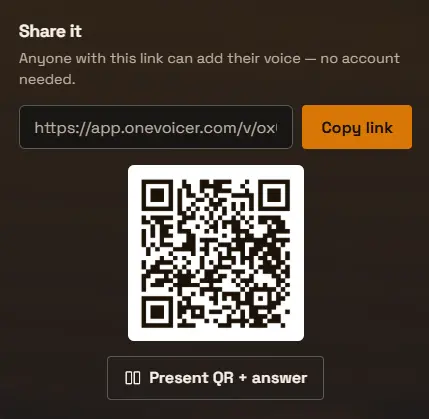
The lower the friction, the more representative your replies. A QR code clears the biggest hurdle: no app to install, no account to make, no link to type. People scan with the camera they already have open and answer in the browser in a few seconds. Print it on the receipt, a table tent, the back of the bathroom door, or a card by the register. For staff, one sign in the break room is enough.
The thing to protect is that two-second path from curiosity to answer. Every extra step, every login wall, every redirect, costs you responses and skews the ones you keep toward the most motivated (and usually the most annoyed) people.
# Or put the question on a screen
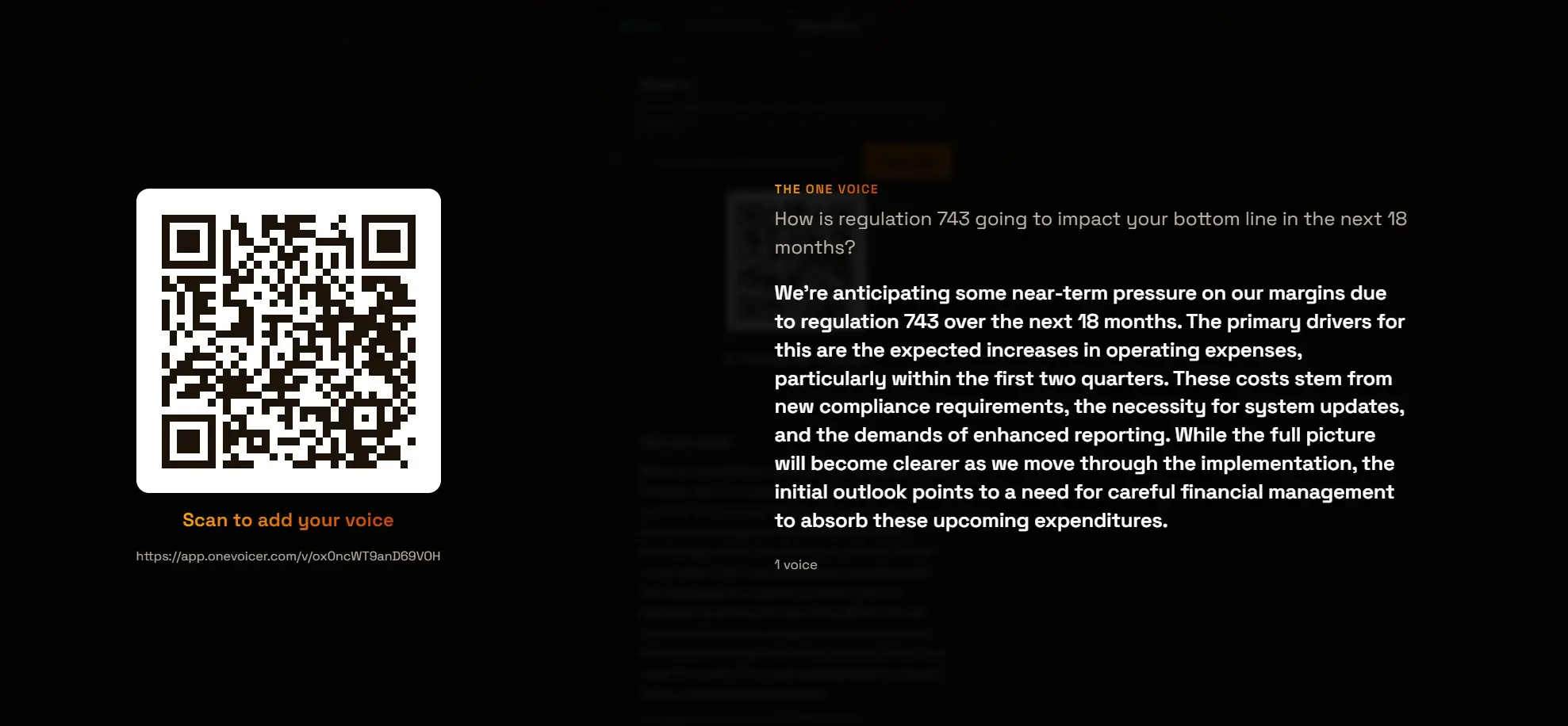
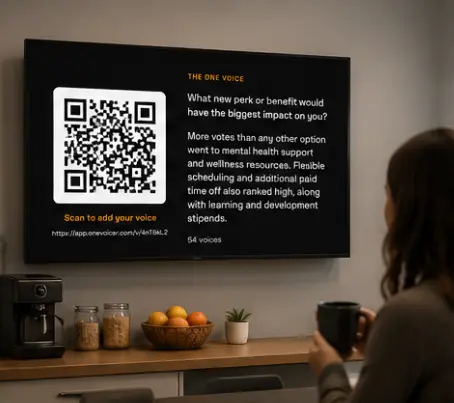
If you would rather the prompt live in the room than on paper, put it on a screen. A tablet propped by the exit or a TV in the break room can show the question and a big QR code together, so people scan it as they pass. It is the same loop, just always-on and impossible to miss, which is the closest thing to a dedicated feedback device without buying any hardware.
A screen also doubles as a quiet nudge. People see the question every time they walk past, so answering becomes part of the routine rather than something they have to be handed a card to do.
# Keep it anonymous, or require a sign-in
For customer feedback and for honest staff feedback, anonymous is usually the right default. People say more, and more truthfully, when their name is not attached. The cost is that one motivated person can answer ten times. For most daily-pulse questions that does not matter, because you care about the shape of the replies, not exact tallies.
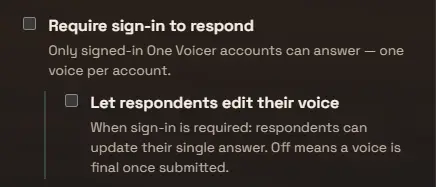
When you do need one clean answer per person, for example a staff vote or a count you will quote later, you can require a sign-in instead, so each account answers once. It is a setting on the question, not a different tool. Reach for it only when the count has to be exact, since every extra step costs you responses.
# Turn 100 voices into one clear read
Here is the problem that sinks most feedback efforts: collecting replies is easy, reading them is not. A hundred open-ended answers a day is more than any busy owner or manager will actually sit down and read, so the box fills up and nobody opens it. The richest data you have becomes the data you ignore.
This is where summarizing the pile matters more than collecting it. Instead of a hundred separate comments, you want one short, faithful summary of what people said today: the common themes, the standout praise, the recurring gripe, in a paragraph you can read in twenty seconds. That is exactly what OneVoicer does with the replies to a question. It reads every voice and blends them into a single clear answer that updates as more arrive, so the daily read is always waiting for you, already done.
# Save a daily snapshot
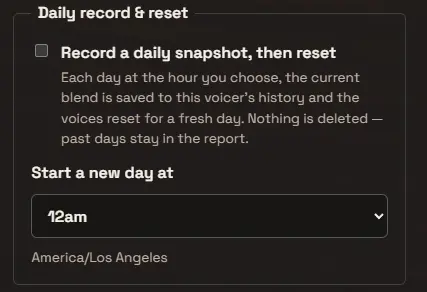
A single day tells you about a single day. To see anything useful you need yesterday saved before today overwrites it. Switch on a daily snapshot and each day’s summary is recorded automatically at a set hour, then the question resets for the next day. Over a few weeks you accumulate a dated history: a row per day, each one the distilled voice of everyone who answered.
Pick the hour to match your business, not the clock. A restaurant might roll the day at 2am, after the last table; a clinic at close. The point is that the snapshot lands when a day’s worth of feedback is genuinely complete.
# Read the month, not the day
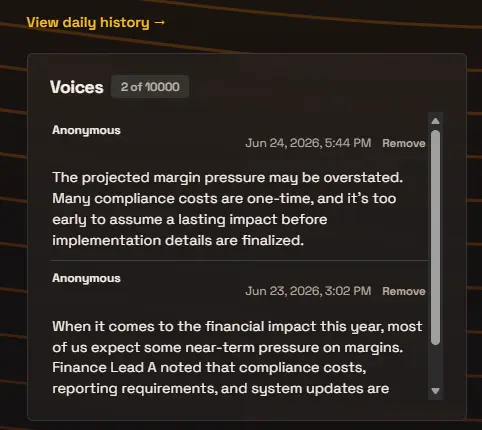
With a month of daily summaries saved, management reads the trend instead of a single snapshot. Open the history and the question stops being “what did people say today” and becomes “what is changing.” That is where patterns surface: morale that sags every Thursday, a complaint that spikes the week after you changed a process, the steady lift after you fixed the thing people kept mentioning.
This is the part that matters to owners and managers, and it lines up with what the experience research has said for years. Frederick Reichheld’s work on the Net Promoter Score (Harvard Business Review, 2003) and a later HBR analysis by Peter Kriss (2014), which found customers with the best past experiences spent 140% more than those with the worst, both point the same way: what you measure consistently, you can manage. A month of daily summaries is that measurement, in a form a human can actually read in a few minutes.
# Close the loop, the step most people skip
Collecting and reading feedback is only worth doing if people see something come of it. Feedback that vanishes into a void trains people to stop giving it, and quietly erodes the trust you were trying to measure. The habit that fixes this is small: once a week, post a short “you said, we did.” One thing people raised, one thing you changed.
It does not have to be big. A note on the break-room board or a line on the receipt is enough. The point is to show the loop is closed, because a visible response is what keeps the replies coming, and keeps them honest.
# A 30-day starter plan
You do not need software, a budget, or a consultant to begin. You need one question and a month of paying attention. Here is a simple way to run the first thirty days.
- Pick one question Choose a single open question for your customers or your staff and commit to it for the whole month. Resist the urge to reword it; consistency is what makes the days comparable.
- Put it where people are Print the QR code on the receipt, a table tent, or a break-room sign, or show it on a tablet or screen by the door. Make scanning the path of least resistance.
- Let it run for a week, untouched Resist tinkering. Give it seven days so you have a real baseline rather than a first-day novelty spike.
- Read week one and ship one change Open the week’s daily summaries, find the most common theme, and fix one thing. Then tell people you did. This is the step that keeps responses flowing.
- Review the full month At day thirty, read the month of summaries end to end. Separate the one-off grumbles from the patterns that repeat, and decide which of the patterns is worth a real change.
# Frequently asked
How many responses do I need before it is useful?
Fewer than you would think. Even ten to twenty honest open-ended replies a day will surface clear themes. A hundred a day is plenty to spot patterns and track them over a month. You are reading for the shape of what people say, not running a statistical study.
Should employee feedback be anonymous?
Usually yes. People answer more honestly when their name is not attached, which is the whole point of asking. Keep it anonymous by default and only require a sign-in when you genuinely need one verified answer per person, such as a staff vote you will quote later.
Daily or weekly?
Daily if the experience changes day to day, like a shift, a service, or a busy retail floor, because the detail and the chance to act quickly are worth it. Weekly is fine for slower-moving questions. The key is a fixed, repeated cadence so you can compare like with like.
How do I actually get people to scan the QR code?
Lower the friction and give a reason. Put the code where people already have a moment to spare (the receipt, the table, the exit, the break room), keep the question to one sentence, and make sure no account or app is needed. Showing that you act on the replies is what turns a one-time scan into a habit.
Can I collect both customer and staff feedback?
Yes. The loop is identical; only the question and where you place the code change. Many small businesses run one question for customers at the counter and a separate one for staff in the break room, and read each as its own daily summary.
# References
- Bain & Company, “Closing the Delivery Gap” (2005) · the 80% vs 8% experience gap
- Gallup, “State of the Global Workplace: 2023 Report” · $8.8T cost of low engagement, 23% engaged
- Gallup, “Fast Feedback Fuels Performance” (2022) · meaningful weekly feedback and engagement
- PwC, “Experience Is Everything: Here’s How to Get It Right” (2018) · 32% leave after one bad experience
- Frederick F. Reichheld, “The One Number You Need to Grow,” Harvard Business Review (2003) · the Net Promoter Score
- Peter Kriss, “The Value of Customer Experience, Quantified,” Harvard Business Review (2014) · 140% more spend