How to collect viewer feedback on your live stream
Chat shows your loudest regulars. Here’s how to hear the rest of your viewers.
What you’ll learn
- Why chat misses most of your audience
- How to ask an open question mid-stream
- How to read hundreds of replies without derailing the stream
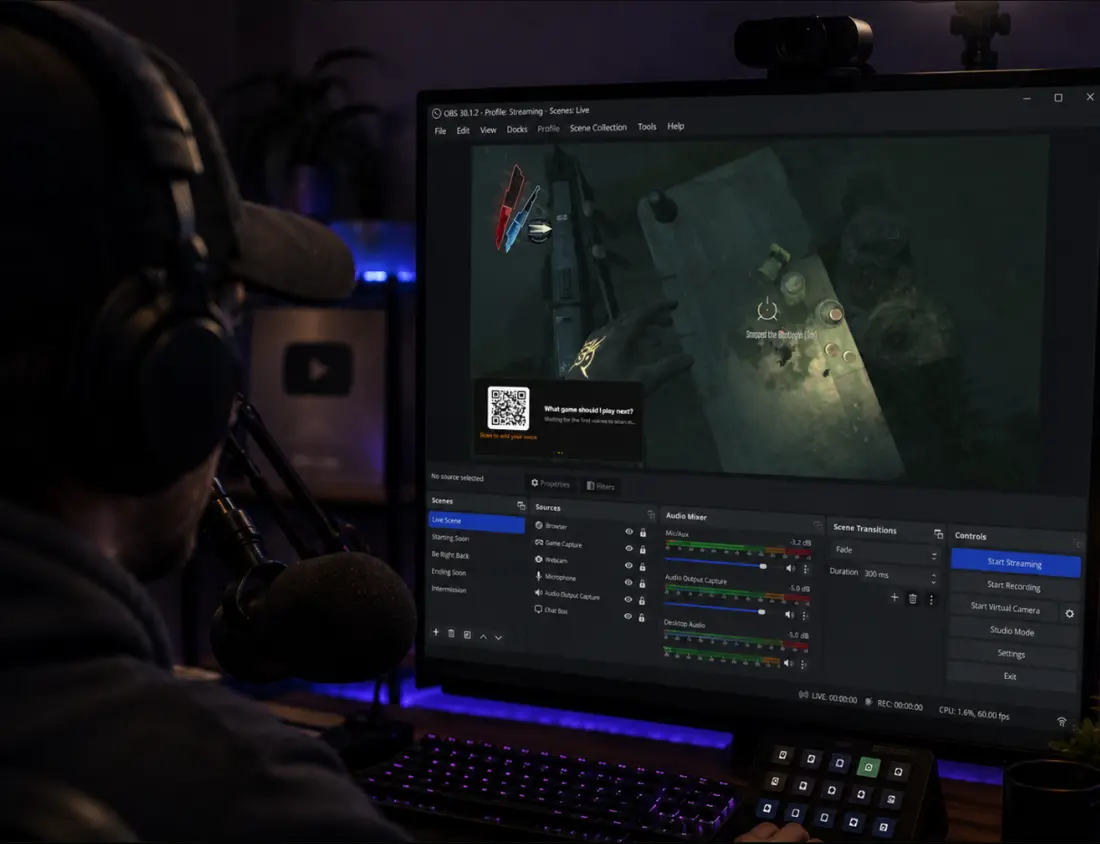
A live stream is a conversation where most of the room never speaks. Lurking is so fundamental to Twitch that a 2022 study in Entertainment Computing named “Loyal Lurkers,” viewers who follow their favorite streamers closely but never engage, as one of the four basic audience types.
That gap matters the moment you want something back: “What game next?” “Was tonight’s format better?” Ask in chat and you hear from the same regulars as always, while the people who quietly decide your viewership say nothing. This article is about closing that gap: the tools, the craft of asking mid-broadcast, and the part everyone underestimates, reading the answers while live.
# Why chat under-measures your audience
Chat is the heartbeat of a stream, but as a measuring instrument it has three built-in distortions:
- Participation
- The viewers who type are a self-selected slice, skewed toward your most invested regulars. The quiet majority have opinions too; they just never volunteer them in a public, fast-moving room.
- Speed
- A 2020 study of over twelve million Twitch chat messages found chat changes character as channels grow, up to “stadium-style audiences” where a message lives for seconds. Past a certain pace, thoughtful answers are buried before you look up.
- Bias toward the loud
- Skimming chat for the room’s opinion means reading whoever types fastest and most confidently. That is a personality filter, not a sample.
# The streamer’s feedback toolbox
Each existing tool covers a different slice of the problem:
- Twitch polls
- Fastest, native, but two to five predefined choices per Twitch’s docs. Only works when you already know the possible answers.
- Predictions
- Channel Points staked on an outcome. Entertainment more than feedback.
- Chatbot commands
- Collect suggestions into a list you read later.
- Discord
- Thoughtful, slower answers after the stream, from the subset who follow you there.
- Browser-source overlays
- OBS renders any web page into your video, so it reaches every viewer on every platform. Alerts, goals, and question overlays all ride on this.
# Asking an open-ended question mid-stream
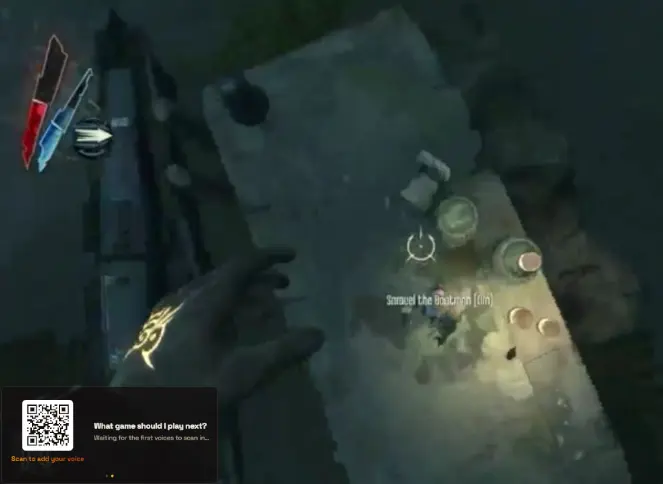
None of the native tools handle the question where you don’t know the choices in advance. For that, the craft is friction and timing:
- One question per stream
- A standing question in the corner accumulates answers all night. Phrase it answerable in one sentence from a phone: “what game should I play next?” beats “thoughts on the content direction?”
- Two ways in
- The QR serves desktop and TV viewers. Phone viewers can’t scan their own screen, so pin the same link in chat or hang it on a chatbot command.
- Close the loop on air
- Call the question out at natural breaks, then read an answer aloud and react. Nothing kills participation faster than input disappearing into a void.
# Reading the answers without derailing the stream
Here is the bottleneck nobody plans for: you asked a good question, forty answers arrived, and you are in a boss fight. Reading a wall of free text on stream is where open-ended questions die. Ignore the answers and you break the loop that makes people participate; stop to scroll and you break the show.
This is the problem OneVoicer was built around. Its stream overlay rotates between the QR code, your question, and one blended answer: the AI reads every response as it arrives and keeps re-writing a single paragraph that speaks for the whole room. Glancing at one sentence between fights is possible; synthesizing forty raw messages is not. Every individual answer stays on your dashboard for later.
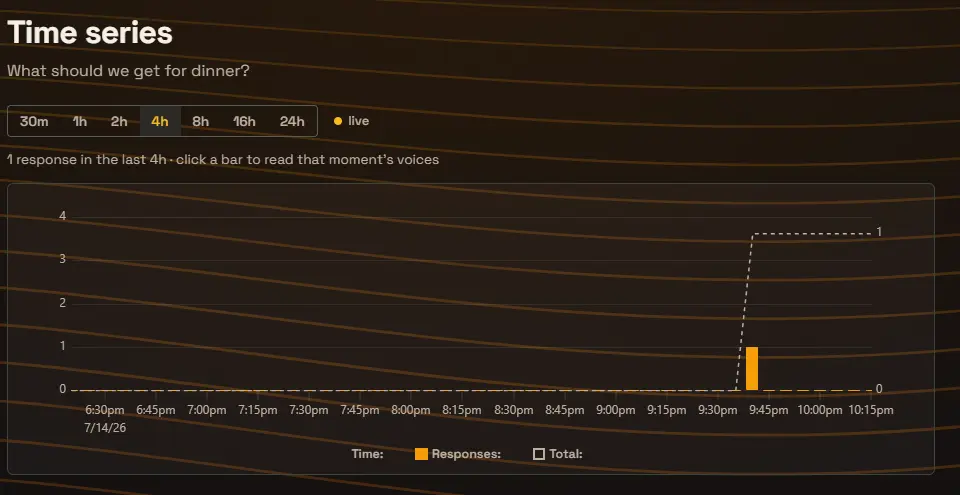
After the stream, a time series of when answers arrived shows the shape of the night: the spike when the overlay went up, the bump at each call-out, the quiet stretch when you forgot it for an hour. It is feedback about your feedback.
Viewers answer questions that visibly get read. Close the loop on air and participation compounds.
# A one-stream playbook
One question, one night, the whole loop. This works for a 20-viewer stream and a 2,000-viewer stream alike.
- Pick one question Something the whole room can answer in a sentence, that you genuinely want decided: next game, format change, schedule.
- Put it on screen Add the question as a browser-source overlay in a corner OBS scene slot, QR code included, and leave it up all night.
- Pin the link in chat Phone viewers cannot scan their own screen. Pin the answer link, or add it to a chatbot command like !voice.
- Call it out at breaks Mention the question between matches and after relevant moments. Each call-out produces a visible wave of answers.
- Read the room on air Read the blended answer, or a favorite individual reply, out loud and react. This is what makes the next call-out land harder.
- Review the night after Check when the answers arrived and what they said. Keep the question up next stream or retire it and ask the next one.
# Frequently asked
Do viewers need an account or an app to answer?
Not with a link- or QR-based question page: viewers answer in their phone browser and are done in seconds. Requiring accounts or downloads filters your feedback down to only the most dedicated, which recreates the chat problem you were trying to escape.
Does this work on YouTube and Kick, or only Twitch?
A browser-source overlay is part of your video, so it reaches every platform you stream to, plus clips and VODs. Platform-native features like Twitch polls and extensions stay on their platform; overlay-based questions travel with the broadcast.
When during the stream should I ask?
Put the question up early and leave it. Answers cluster around your call-outs, so the timing that matters is when you mention it: natural breaks, right after a relevant moment, and once near the end for the viewers who arrived late.
# References
- Speed, Burnett, Owens and Parsons, “Beyond the Game: Understanding Why People Enjoy Viewing Twitch,” Entertainment Computing (2022)
- Flores-Saviaga, Hammer, Flores, Seering, Reeves and Savage, “Audience and Streamer Participation at Scale on Twitch” (2020)
- Twitch Developers, “Polls” (2 to 5 choices per poll)
- OBS Knowledge Base, “Browser Source”